
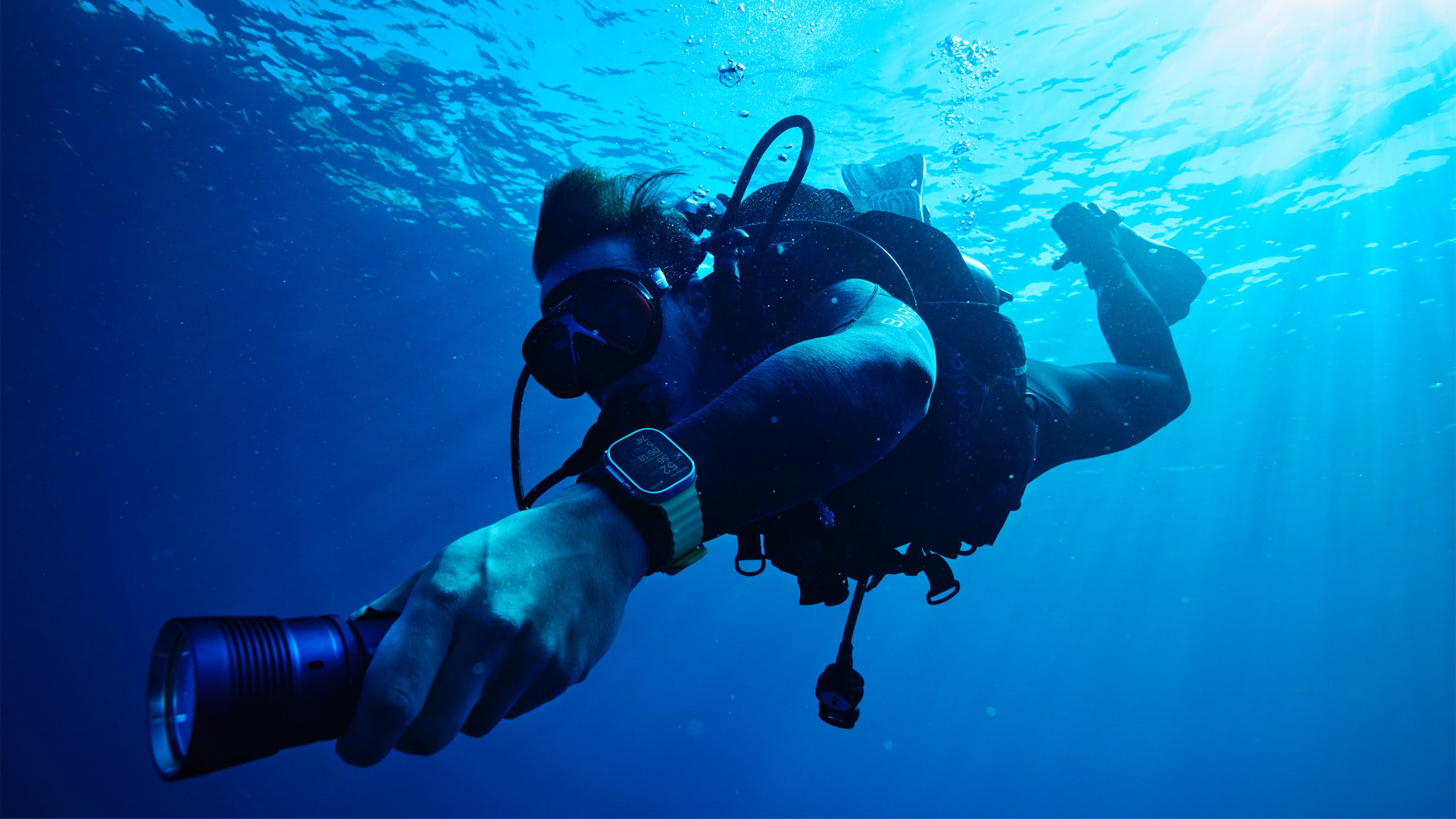
Apple made a splash Monday in the world of scuba diving, noting that divers can now add the Oceanic+ Dive Computer App to their Apple Watch Ultra and use a companion app for iPhone.
Designed by Huish Outdoors in collaboration with Apple, Oceanic+ takes advantage of Apple Watch Ultra’s depth gauge and water temperature sensors to provide divers crucial information on forays up to 130 feet beneath the surface.
Oceanic+ app brings dive computer to Apple Watch Ultra
Oceanic+ adds dive-computer features to Apple Watch Ultra, including key metrics, dive planning features and a “comprehensive post-dive experience,” Apple said.
“At Huish Outdoors, our purpose is fueling the human spirit for adventure,” says Mike Huish, the company’s CEO. “Oceanic+ on Apple Watch Ultra is one of the biggest innovations to hit the dive industry in a long time. We’re creating an accessible, shareable, better diving experience for everybody.”
Even as recently as the 1990s, many certified divers still calculated on paper to create dive tables to track depth and time spent in the water to help ensure safe dives, Apple said. But Apple Watch Ultra now “transforms” the experience.
“There’s now a companion that communicates clear and timely information to divers,” said Andrea Silvestri, Huish Outdoors’ vice president of product development and design. He led the creation of Oceanic+ and tested it on the watch underwater ahead of the launch.
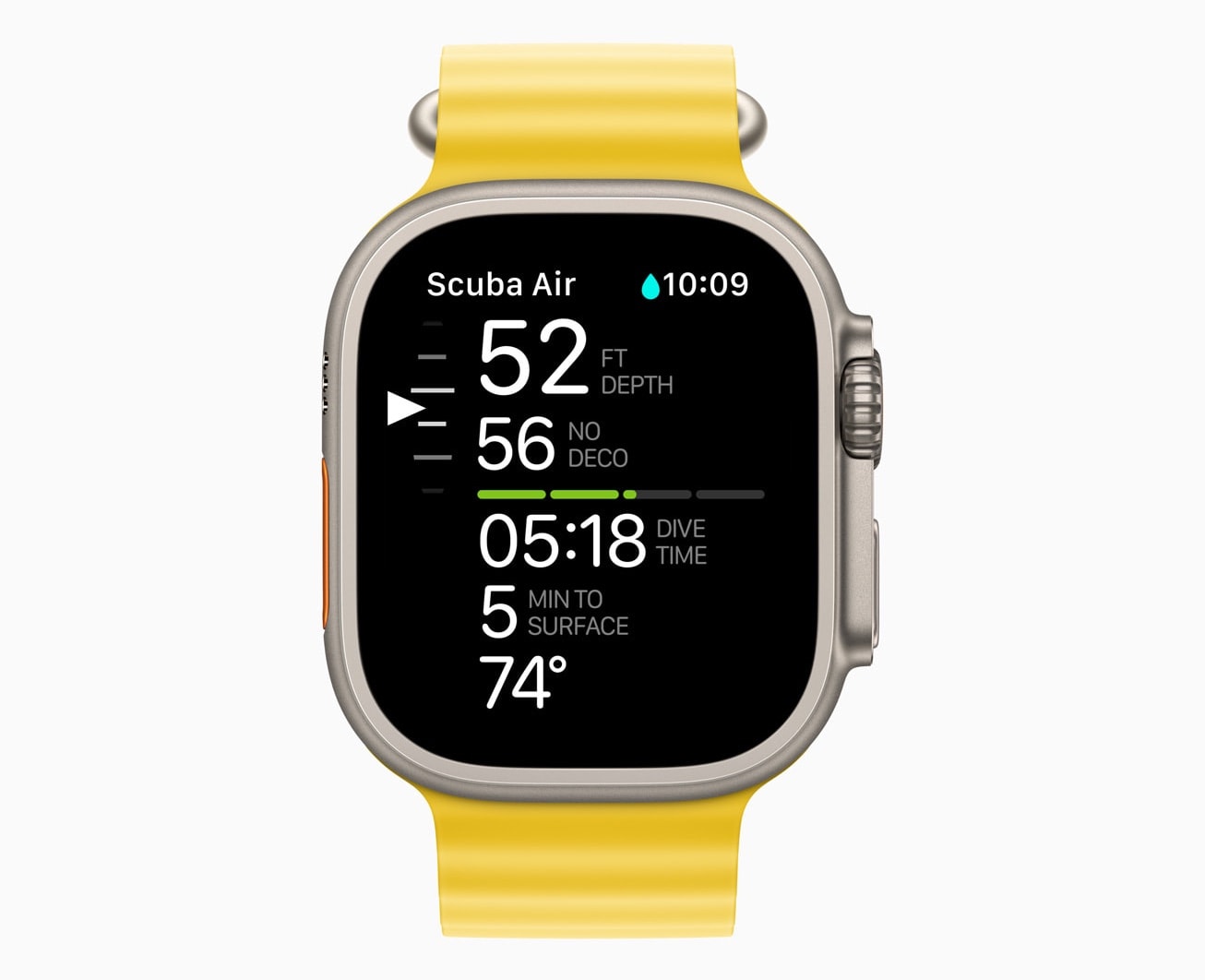
Photo: Apple
Silvestri gives Apple Watch Ultra credit for its intuitiveness, which helps divers focus on their environment without the distractions of making mental calculations and dealing with the complexity of many dive computers.
“From Apple Watch Ultra’s large, bright Retina display and dual-core S8 SiP, to its compact size, to the Digital Crown and dedicated Action button, and even the haptics, which are designed so well and are so noticeable in the water, there’s never been anything like this in scuba diving before now,” Silvestri said.
Here’s Apple’s description of Ultra as a dive watch with Oceanic+:
Built for endurance, exploration, and adventure, Apple Watch Ultra is certified to WR100 and EN 13319, an internationally recognized standard for dive accessories, including depth gauges. The 49mm titanium case and flat sapphire front crystal reveals the biggest and brightest Apple Watch display yet, which — at up to 2000 nits — provides exceptional visibility underwater. The Action button can be customized to launch the Oceanic+ app into the predive screen, and during a dive, pressing the Action button will mark a compass bearing.
Simple user interface
Silvestri noted the app’s user interface is simple. It features a single arrow that clearly indicates “go up,” “go down” or “stop,” referring to a diver’s depth, for example.
“One of our first goals was to keep it intuitive,” Huish explained. “People who know how to use an Apple Watch already know how to use this dive computer, because it’s telling them things in a simple format they can understand. The navigation menus are simple — scrolling with the Digital Crown and using the Action button, you can navigate and use all the functionality of the dive computer while diving.”
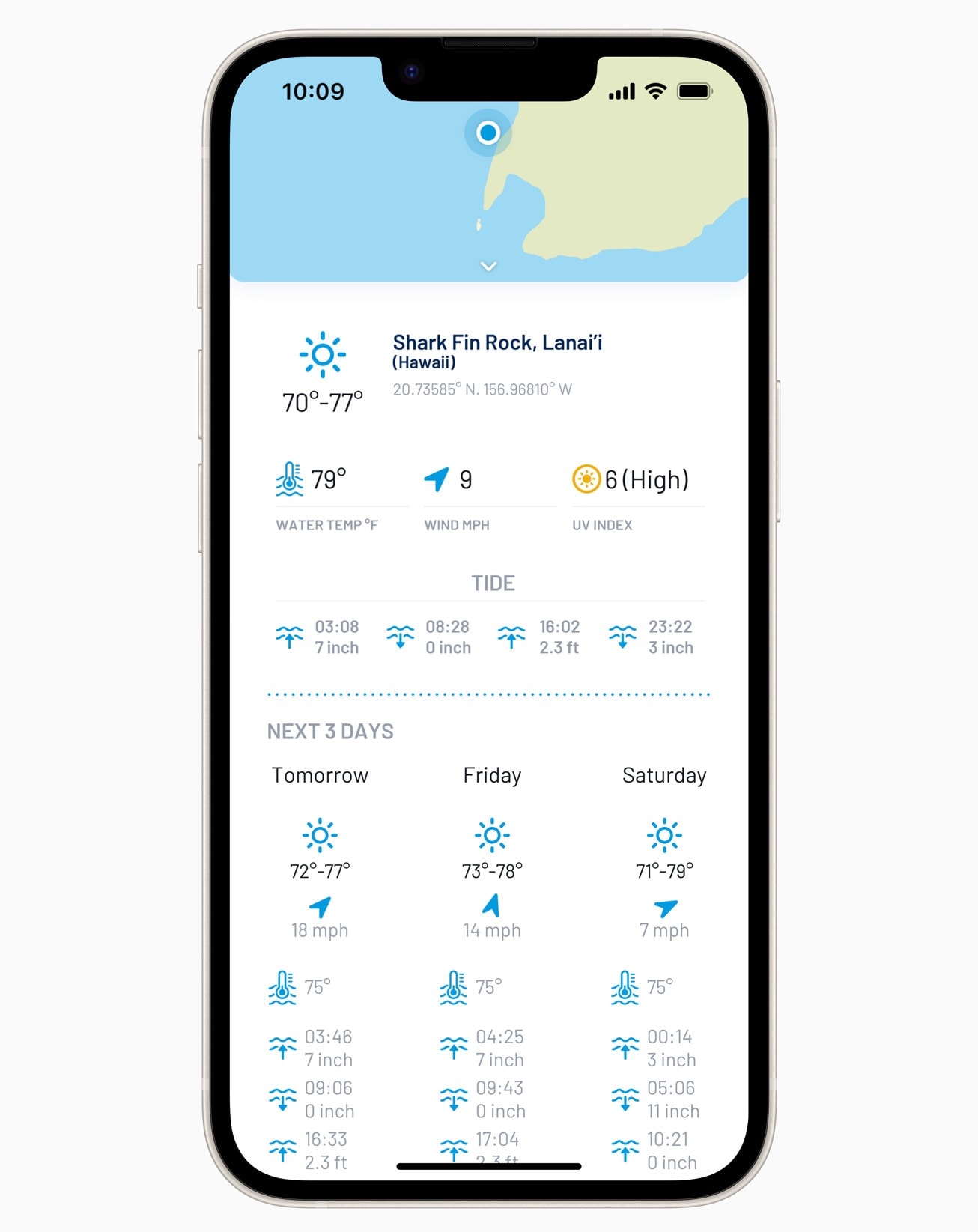
Photo: Apple
With the dive planner, you can set surface time, depth and gas level. Then Oceanic+ will calculate No Deco (no-decompression) time, a metric that determines a time limit for a diver at a certain depth. The planner also integrates dive conditions like tides, water temperature, currents and visibility.
After a dive, you can see data, like GPS entry and exit locations and a summary of the dive profile, pop up on Apple Watch Ultra. The Oceanic+ iPhone app provides additional information in its summary, including a map of entry and exit locations, as well as graphs of depth, temperature ascent rate and no-decompression limit.
Haptic feedback
Another intuitive aspect of Oceanic+ is its haptic feedback. It enables the watch to tap users on the wrist through a series of vibrations so they can feel notifications underwater — even through a 7mm-thick wetsuit.
And underwater, haptic feedback serves another purpose. It cuts through the noise of echoing sounds.
“Sound propagation in the water is much more powerful than in air,” Silvestri said. “So if I’m diving with someone and their dive computer is emitting sound, I can’t really recognize if it’s my beep or it’s theirs. I’m hearing a beep, but I don’t know the direction. Incorporating the haptics designed for Ultra, we’ve made the experience very personal; it’s like a gentle nudge to guide you.”
Pricing and availability
Oceanic+ requires Apple Watch Ultra running watchOS 9.1 paired with iPhone 8 or later, and iPhone SE (2nd generation) or later running running iOS 16.1.
The basic plan is free, Apple said. It includes common dive functions, including depth and time, and logs most-recent dives.
If you want decompression tracking, tissue loading, the location planner and an unlimited logbook capacity, Oceanic+ is $9.99 per month, or $79.99 a year. Family Sharing, which allows access for up to five people, can be had for $129 annually.
Where to download: App Store
!function(f,b,e,v,n,t,s){if(f.fbq)return;n=f.fbq=function(){n.callMethod?
n.callMethod.apply(n,arguments):n.queue.push(arguments)};if(!f._fbq)f._fbq=n;
n.push=n;n.loaded=!0;n.version=’2.0′;n.queue=[];t=b.createElement(e);t.async=!0;
t.src=v;s=b.getElementsByTagName(e)[0];s.parentNode.insertBefore(t,s)}(window,
document,’script’,’https://connect.facebook.net/en_US/fbevents.js’);
// stack social info
fbq(‘init’, ‘309115492766084’);
fbq(‘track’, ‘EditorialView’);


![The ultimate in pet entertainment: Jolly Dog [Awesome Apps]](https://behalfofapple.com/wp-content/uploads/2023/10/Jolly-Pet-with-Dog-350x250.jpeg?crop=1)


![Ugreen’s powerful 200W GaN charger is perfect for desktop or traveling [Review] ★★★★☆](https://behalfofapple.com/wp-content/uploads/2022/10/IMG_1716-120x86.jpg?crop=1)



