In today’s electronic culture, no bedside table is complete without a multi-device charging stand. And now that MagSafe has become the norm for the best iPhones, it is also becoming a must-have feature for wireless charging docks. The Ugreen 3-in-1 MagSafe Wireless Charger brings the best of both worlds with this charging dock that charges the iPhone, Apple Watch, and AirPods all at the same time.
The beauty of integrating MagSafe into the wireless charging stand is that it holds the iPhone and Apple Watch at a comfortable viewing angle while they charge. This can be advantageous for several reasons, which I’ll go into below. There are also a few things that could be improved about the Ugreen 3-in-1 though, so let’s get into it.
Ugreen 3-in-1 MagSafe Wireless Charger: Price and availability

The Ugreen 3-in-1 Charger is available on Amazon and the official Ugreen website for $130. At the time of writing, Amazon is offering a coupon for 20% off so you can buy it for about $118, but make sure to check the coupon checkbox underneath the product title before checking out. If you miss it, check out the iMore Deals section to stay tuned for future discounts and sales on Ugreen products.
Ugreen 3-in-1 MagSafe Wireless Charger: What’s good?

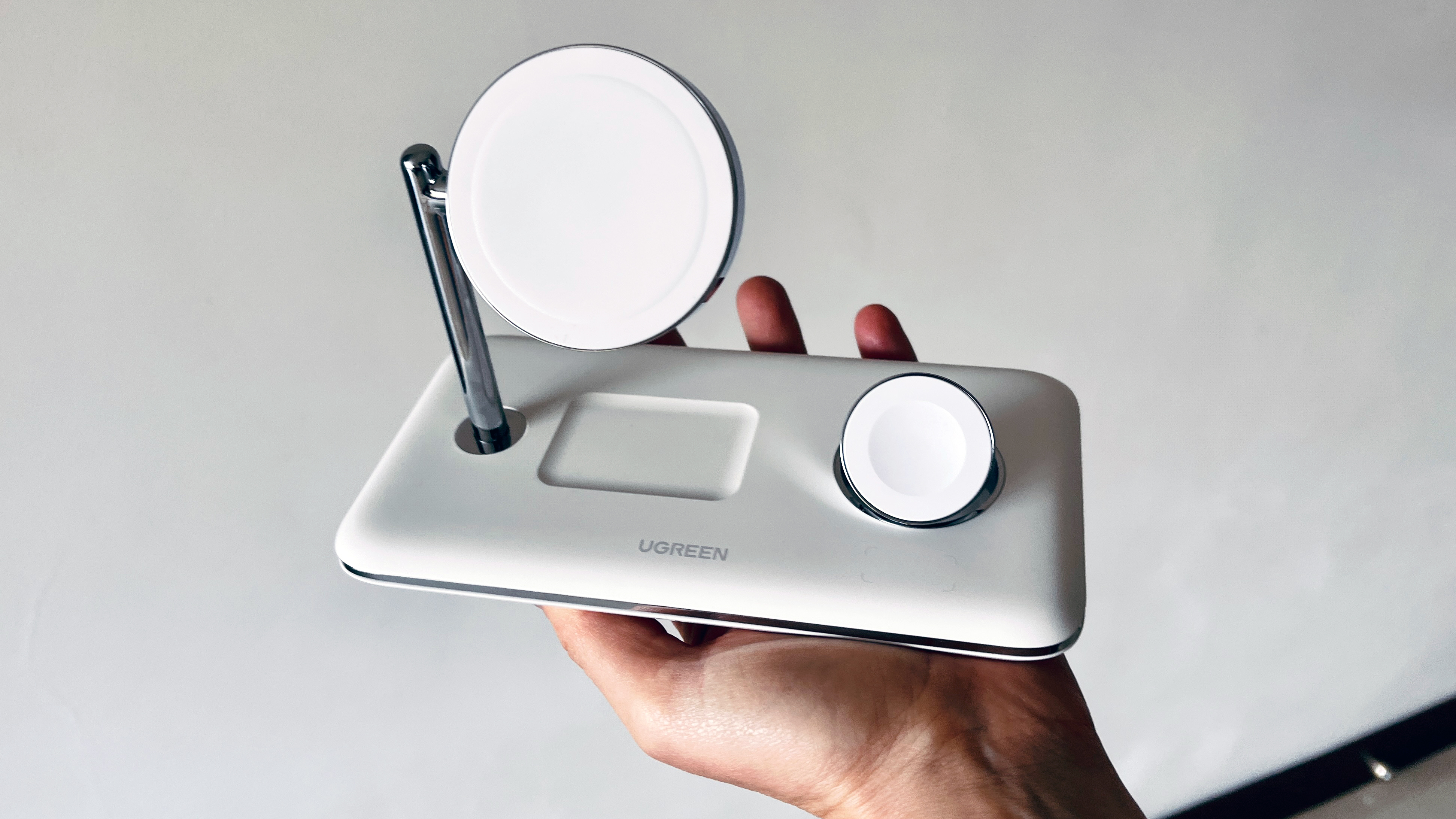
Right out of the box, I was impressed with the sleek, modern design of Ugreen’s wireless MagSafe charging station. It’s all white curves and chrome details, very shiny with a definite Apple-esque aesthetic. It looks good on a desk or a bedside table.
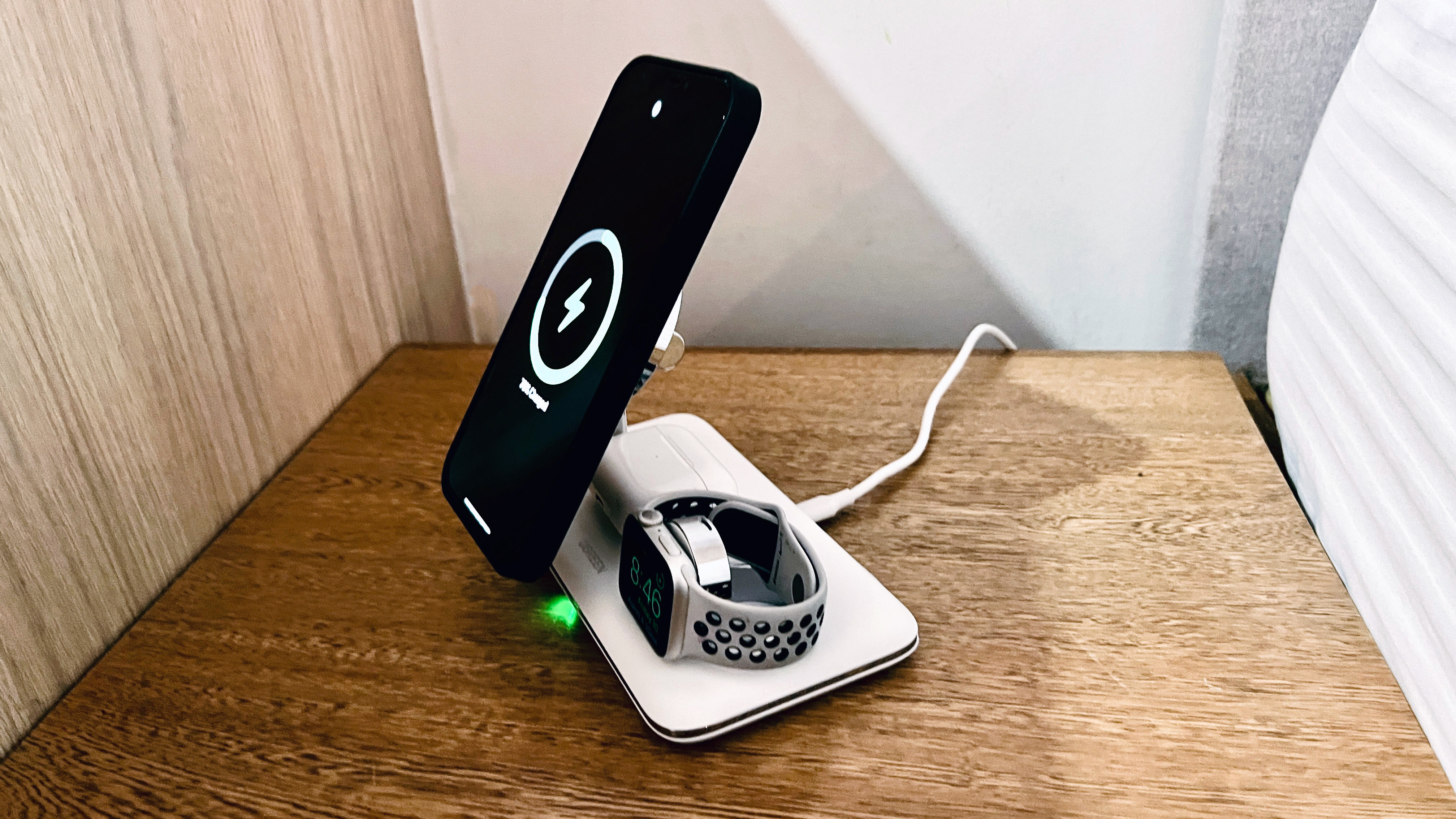
Even more important than looks, of course, is functionality. I’m giving the 3-in-1 wireless charger high marks here too, since it works exactly as it should. The elevated charging pads for the iPhone and Apple Watch 8 are both magnetic, as well as the AirPods charger. For the phone and watch, this means that the devices are held up by MagSafe magnets so that you can clearly see the screen of each and use them as they charge. The magnets are strong enough that none of the devices slip or slide off if the charger is moved or jostled, an important note since MagSafe accessories are notorious for weak magnets.
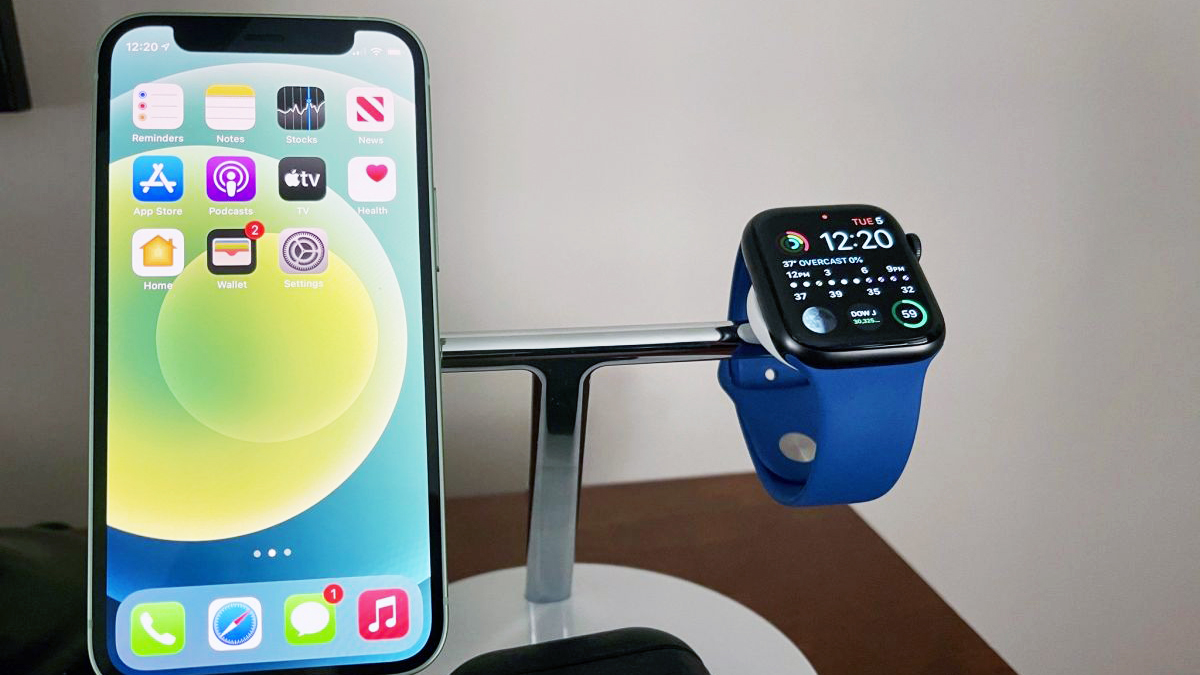
For the iPhone and Apple Watch, the devices are held up by MagSafe magnets so that you can clearly see the screen of each and use them as they charge.
Because the iPhone and Apple Watch are held upright, either can be used as a sort of alarm clock on the nightstand, so you can see the time and upcoming alarms at any time during the night. For iPhones, this is only possible with the latest iPhone 14 model since it supports Always On mode, but the best Apple Watch has supported this feature for several years. It works to replace the bedside alarm clock, but really only works well if you can elevate and see the screen. That’s why a MagSafe charging stand like this one is so handy.
As for charging, the wireless charger for the iPhone seems to charge just as fast as the Apple MagSafe charger at 15 watts, but only for iPhones with MagSafe. For iPhone 11 and earlier models, the charging pad can be turned horizontally and used to charge any device, but it will only support 7.5-watt charging when used without MagSafe. The Apple Watch and AirPods Pro charge at 5 watts, which is standard for these devices. The Apple Watch charger can also be laid flat to charge the watch horizontally if needed.
Ugreen 3-in-1 MagSafe Wireless Charger: What’s not good?
You’d think I’d be used to the loss of the charging adapter by now, but no. Perhaps I’m old fashioned, but it seems to me that a charging station should come with a charging adapter, especially at this price point. In order to plug the MagSafe 3-in-1 Charger into the wall, you’ll need to use your existing 30-watt wall adapter or buy one separately. This is one Apple trend that I’m not crazy about, and I wish Ugreen didn’t follow along.
The only other improvement I might suggest is a USB-C port for charging an additional device. That would make it possible to charge my iPad alongside the other three devices. This is certainly not necessary to the functionality of the charging station, but it would be a nice touch. As our lives become ever more dependent on electronics, the more ports, the better!
Ugreen 3-in-1 MagSafe Wireless Charger: Competition
Now that MagSafe is here to stay, more products like this one are entering the market. Not all charging stands are created equal, however, and few of them have the streamlined, modern aesthetic that I enjoy in the Ugreen MagSafe charging station. One real contender, however, is the Belkin MagSafe 3-in-1 Wireless Charger, which is very similar to the Ugreen in look and functionality.
Belkin’s 3-in-1 charger also has a minimalistic design that looks good alongside Apple products. This one has MagSafe functionality for the iPhone and Apple Watch, although there are no magnets to hold the AirPods in place. Belkin does include a wall adapter though, which helps to justify the $10 increase in price over the Ugreen unit. If you or a family member doesn’t have a MagSafe-compatible iPhone however, you may prefer the Ugreen, since it supports older iPhone models as well.
Ugreen 3-in-1 MagSafe Wireless Charger: Should you buy it?
You should buy this if…
- You have multiple Apple devices.
- You have a MagSafe-compatible iPhone.
- You’d like to use your iPhone or Apple Watch as a bedside alarm clock.
You shouldn’t buy this if…
- You expect a wall adapter to be included in the package.
- You need to charge four or more devices at once.
If you’re tired of juggling a swarm of cables on your bedside table or desk, it’s probably time to invest in a multi-device charging station. Especially if you like to see and use your devices as they charge, the MagSafe stand will come in handy. It’s also great for those who’d like to use the iPhone or Apple Watch as a bedside alarm clock at night.
While I personally feel like a charging adapter should be included with any charging station, this seems to be standard practice now for gadgets. It may or may not be a big deal to you, especially if you already have a few 30-watt wall adapters laying around. Either way, once the Ugreen 3-in-1 MagSafe Wireless Charger is plugged in, it works beautifully to charge three devices at once, all while holding the iPhone and Apple Watch at a comfortable viewing angle. And since the unit comes in a sleek, modern design, it won’t spoil your feng shui.

UGreen MagSafe 3-in-1 Wireless Charger
A sleek station to charge your fave devices
The Ugreen 3-in-1 MagSafe Wireless Charger brings a clever combination of sleek design, smart functionality, and magnetic convenience to the daily charging experience.
!function(f,b,e,v,n,t,s){if(f.fbq)return;n=f.fbq=function()
{n.callMethod? n.callMethod.apply(n,arguments):n.queue.push(arguments)}
;if(!f._fbq)f._fbq=n;
n.push=n;n.loaded=!0;n.version=’2.0′;n.queue=[];t=b.createElement(e);t.async=!0;
t.src=v;s=b.getElementsByTagName(e)[0];s.parentNode.insertBefore(t,s)}(window,
document,’script’,’https://connect.facebook.net/en_US/fbevents.js’);
fbq(‘init’, ‘1765793593738454’);
fbq(‘track’, ‘PageView’);