
![This iPad stylus steals Apple Pencil’s best feature [Review] ★★★★½](https://behalfofapple.com/wp-content/uploads/2022/08/Adonit_Neo_Pro_iPad_Stylus_in_Hand.jpg)
The Adonit Neo Pro iPad stylus gets power just by being placed on the edge of the tablet. This is a trick that used to be reserved for Apple Pencil, but no more. Even better, the stylus is well designed for note taking and sketching, and offers palm rejection and tilt sensitivity.
I’ve used the affordable iPad stylus as part of my job for over a week now. Here’s why I love it.
Adonit Neo Pro review
A stylus isn’t a necessity for iPad users, but it’s very useful for taking handwritten notes or drawing out ideas. Third-party styli give Apple Pencil strong competition, but Apple’s has been able to stand out with on-tablet wireless charging.
Not any more. Place the Adonit Neo Pro on the side of an iPad and the stylus’ battery will start getting power. I’ve tested more third-party iPad styli than I can count and this is the first with this feature.
And, of course, Neo Pro is a useful writing and drawing tool. You can take handwritten notes, sketch out ideas or sign documents. Don’t limit yourself: thanks to Scribble in iPadOS, a stylus can do anything a keyboard can do.
Looks can be deceiving
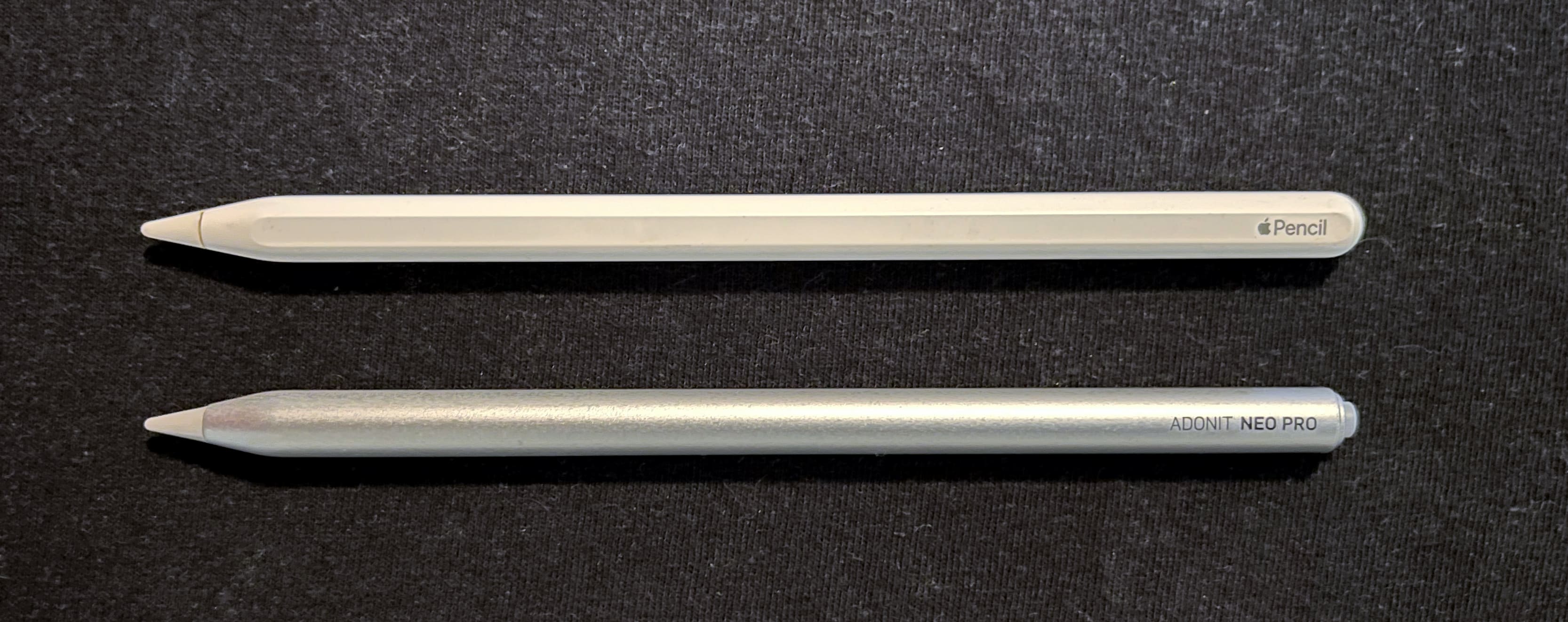
Photo: Ed Hardy/Cult of Mac
The old adage “don’t judge a book by its cover” applies here because the Adonit Neo Pro looks very generic. It’s 6.5 inches long, 1.1 inches in circumference, and just half an ounce in weight. You have your choice of space grey or matte silver.
It’s very comfortable to hold. And the barrel is flattened on one size so it won’t easily roll off a table.
The writing tip is easily removable, and two replacements come in the box. Don’t lose them – you’ll eventually wear down the tip with use.
On the far end of Neo Pro is a button. Press this for two seconds to activate the device – the button glows blue when the accessory is ready to be used. Otherwise, your iPad won’t be aware the tip is touching the display.
Or there’s a quicker option: place the stylus on the iPad charger and it’ll activate itself.
Because it employs wireless charging, Neo Pro has to be plastic. It’s not fragile, but I don’t recommend carrying it around in a back pocket where you’ll sit on it for hours.
Charging is so, so easy
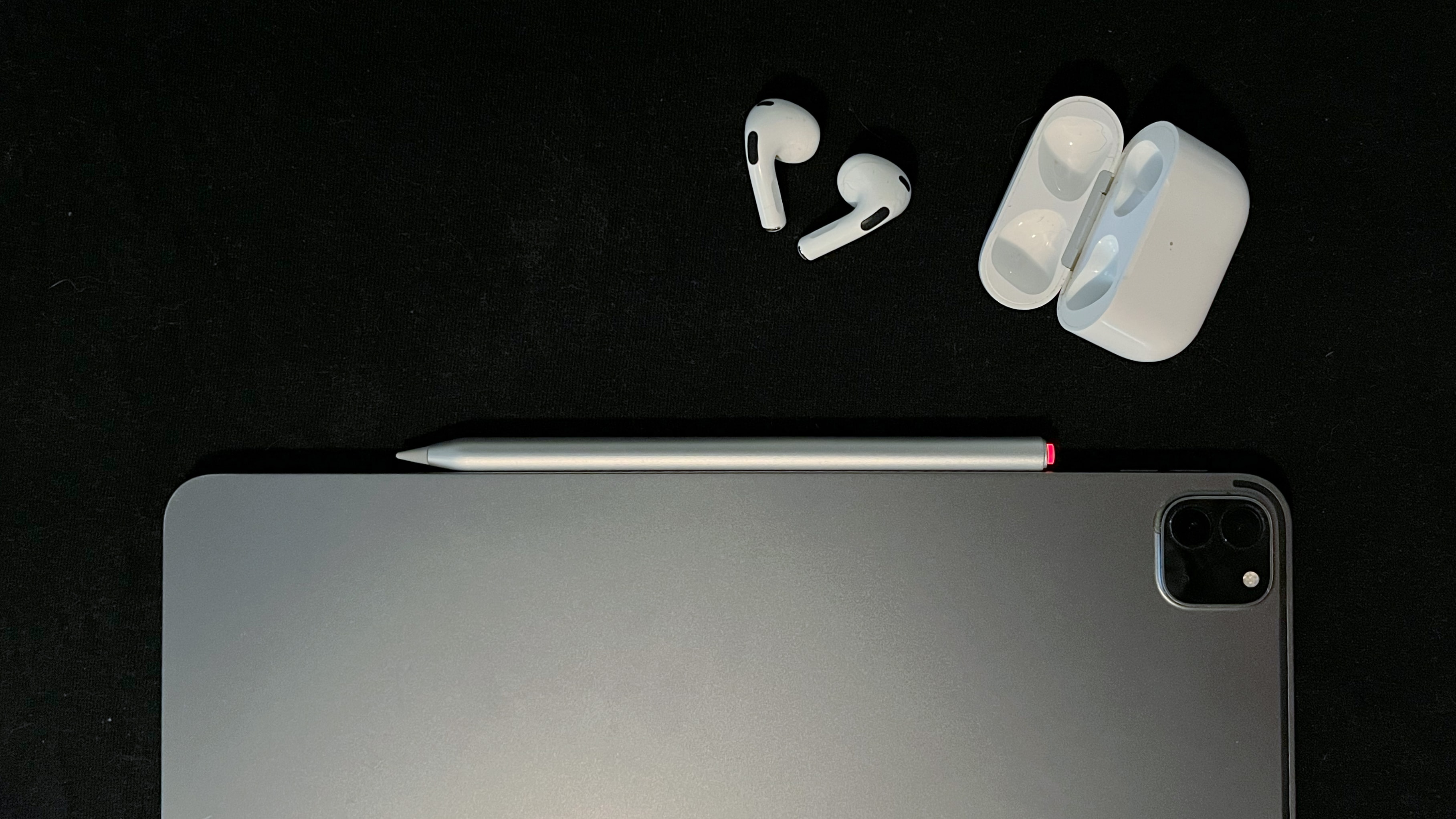
Photo: Ed Hardy/Cult of Mac
Put the stylus on the long edge of iPad, just below the volume keys. There’s a charging pad there intended for the Apple Pencil 2, but Adonit’s product uses it too. The stylus will cling there and start recharging. That’s all there is to it.
You can tell it’s happening because the button on one end will grow red. It’ll briefly turn green when it’s at 100%.
Part of reviewing electronics is testing their battery life. Turns out I can’t do this with the Neo Pro because I can’t ever run the battery down. Every time I try, I absent-mindedly place it back on the side of my iPad Pro and it recharges.
Adonit says that the stylus is good for nine hours of use after two hours of charging. I say these facts are immaterial – charging the Neo Pro is so easy you’ll never let it run down.

Screenshot: Ed Hardy/Cult of Mac
The first time you use the accessory, place it on the iPad to charge, then go into Settings > Bluetooth. “Adonit Neo Pro” will be listed as a device wanting to pair. Tap on it to do so. This is not necessary to write or draw with the stylus, but if you pair it with your iPad, its battery level will show up in the iPadOS battery widget.
Excellent stylus for writing or drawing
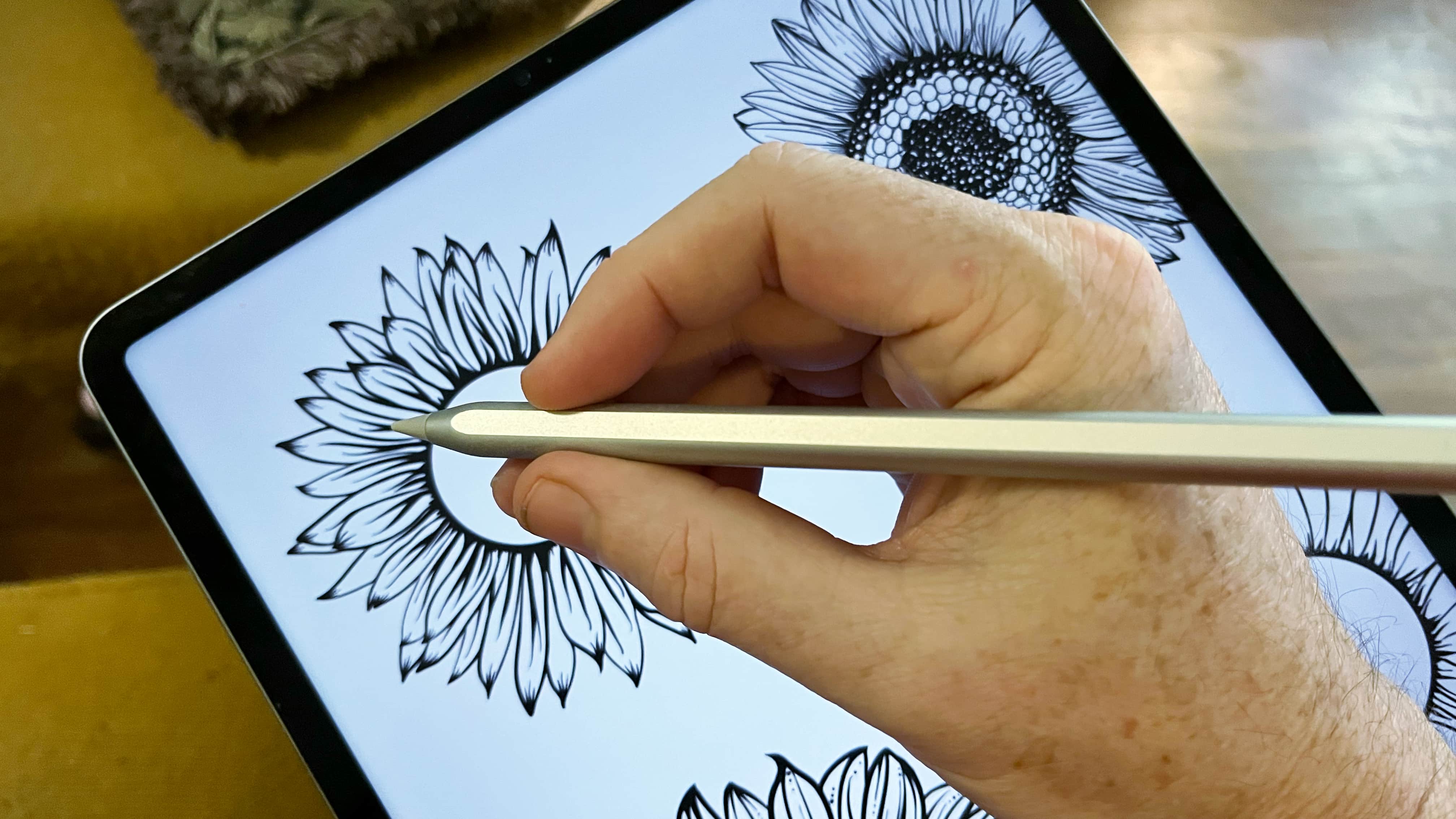
Photo: Ed Hardy/Cult of Mac
The most important thing to realize about iPad active styli is that the iPad does most of the work. As long as the accessory maker meets a minimal set of hardware requirements, their product works as well an Apple Pencil.
So there’s no question of the Adonit Neo Pro skipping or reacting slowly. That doesn’t happen with any active iPad stylus. Still, I tested the device with my iPad Pro and, no surprise, it works very well for handwritten notes and sketching. I had no problems at all in the multiple apps I used.
And Adonit even put in a bonus feature: tilt sensitivity. This allows the user to vary the width of their lines by adjusting the tilt of the stylus. The application you’re using will need to support this feature, though. Apple Notes does, but Pixelmator does not, for example.
While Neo Pro can do much of what Apple Pencil does, it costs a lot less so it’s not surprising it doesn’t have every feature. Most notably, it does not have pressure sensitivity. No matter how hard or soft you press Adonit’s stylus to your iPad screen, the line won‘t change. Or the color you’re painting with won‘t become darker/lighter. That makes Apple Pencil a better option for anyone looking for a digital painting tool.
Broad compatibility
The Adonit Neo Pro is compatible with the 11-inch iPad Pro (1st/2nd/3rd Gen), the 12.9-inch iPad Pro (3rd/4th/5th Gen), the iPad Air (4th/5th Gen), the iPad mini (6th Gen), and newer.
And you can switch between these tablets on the fly. The styli does not have to pair with the iPad to work. Just turn it on and start writing/drawing.
Adonit Neo Pro final thoughts
Photo: Adonit
Students looking for an iPad stylus, or anyone who needs to take handwritten notes on their tablet, will be pleased with the Neo Pro. Especially because it’s so very easy to charge.
This is easily my favorite stylus to come out in years. The only thing stopping me from giving it a perfect score is that the hardware is not quite as rugged as I prefer.
★★★★☆
Pricing
While there’s a temptation to get an Apple Pencil “just in case,” it costs $129. The Adonit Neo Pro is $44.99. That’s 35% of the cost of Apple’s product.
Buy from: Adonit
As noted, Pencil does more, including pressure sensitivity. So you need to ask yourself, does it do $84 more?
Adonit provided Cult of Mac with a review unit for this article. See our reviews policy, and check out more in-depth reviews of Apple-related items.
!function(f,b,e,v,n,t,s){if(f.fbq)return;n=f.fbq=function(){n.callMethod?
n.callMethod.apply(n,arguments):n.queue.push(arguments)};if(!f._fbq)f._fbq=n;
n.push=n;n.loaded=!0;n.version=’2.0′;n.queue=[];t=b.createElement(e);t.async=!0;
t.src=v;s=b.getElementsByTagName(e)[0];s.parentNode.insertBefore(t,s)}(window,
document,’script’,’https://connect.facebook.net/en_US/fbevents.js’);
// stack social info
fbq(‘init’, ‘309115492766084’);
fbq(‘track’, ‘EditorialView’);












