
AppleInsider may earn an affiliate commission on purchases made through links on our site.
Staying hydrated is an important part of your health. The HidrateSpark Tap Smart Water Bottle connected to your iPhone may be the best way to stay on top of that without a hefty price tag attached.
Many smart water bottles usually cost over $50, but the HidrateSpark Tap offers nearly the same features for a fraction of the price.
There are multiple smart water bottles to choose from, but if you want one that tracks your water intake, integrates with Apple Health, and doesn’t burn a hole in your wallet, then the HidrateSpark Tap might be the best option for you.
HidrateSpark Tap – design
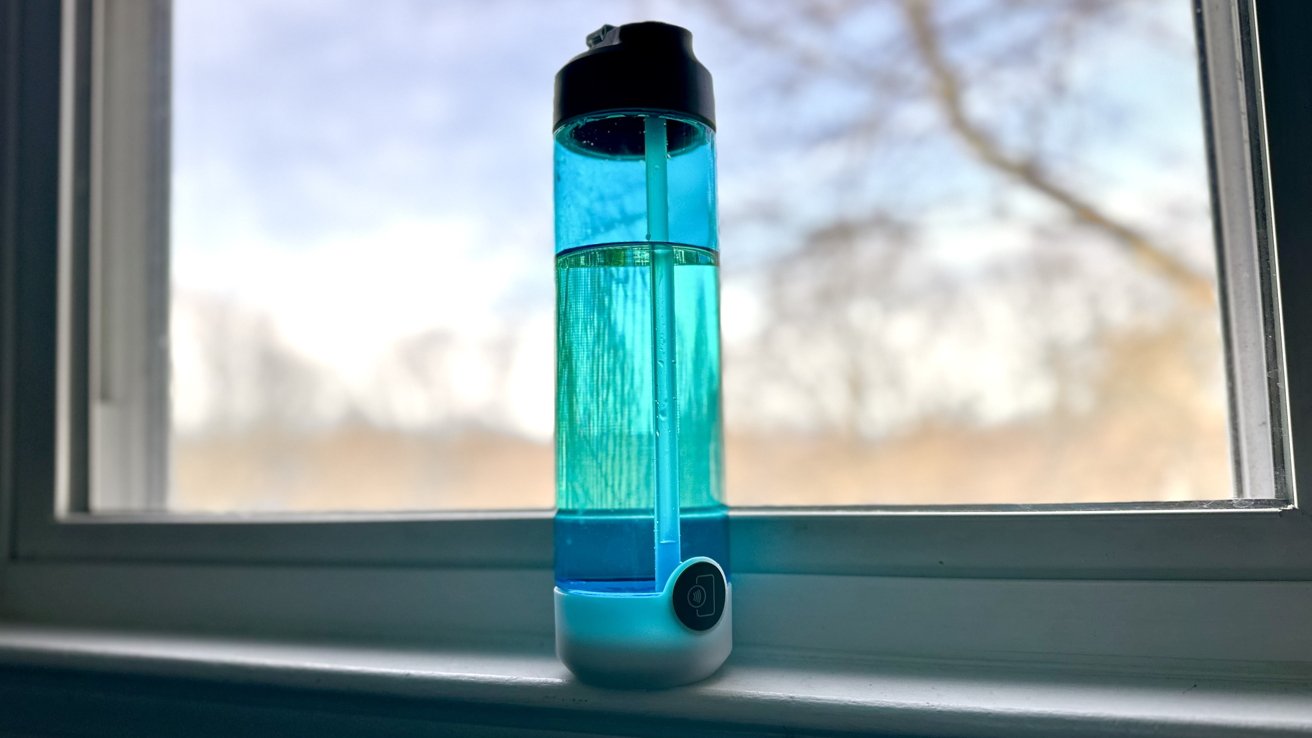
The HidrateSpark Tap houses a traditional water bottle design that includes a straw and inhale-in drinking mechanism to take in water. The bottle is made out of plastic and holds 24 oz of water.

The lid, straw, and body are all removable and can be taken apart and put back together with ease. With a simple push of the straw into the lid, and a twist of the wrist to screw in the top into the plastic body, the water bottle is formed.
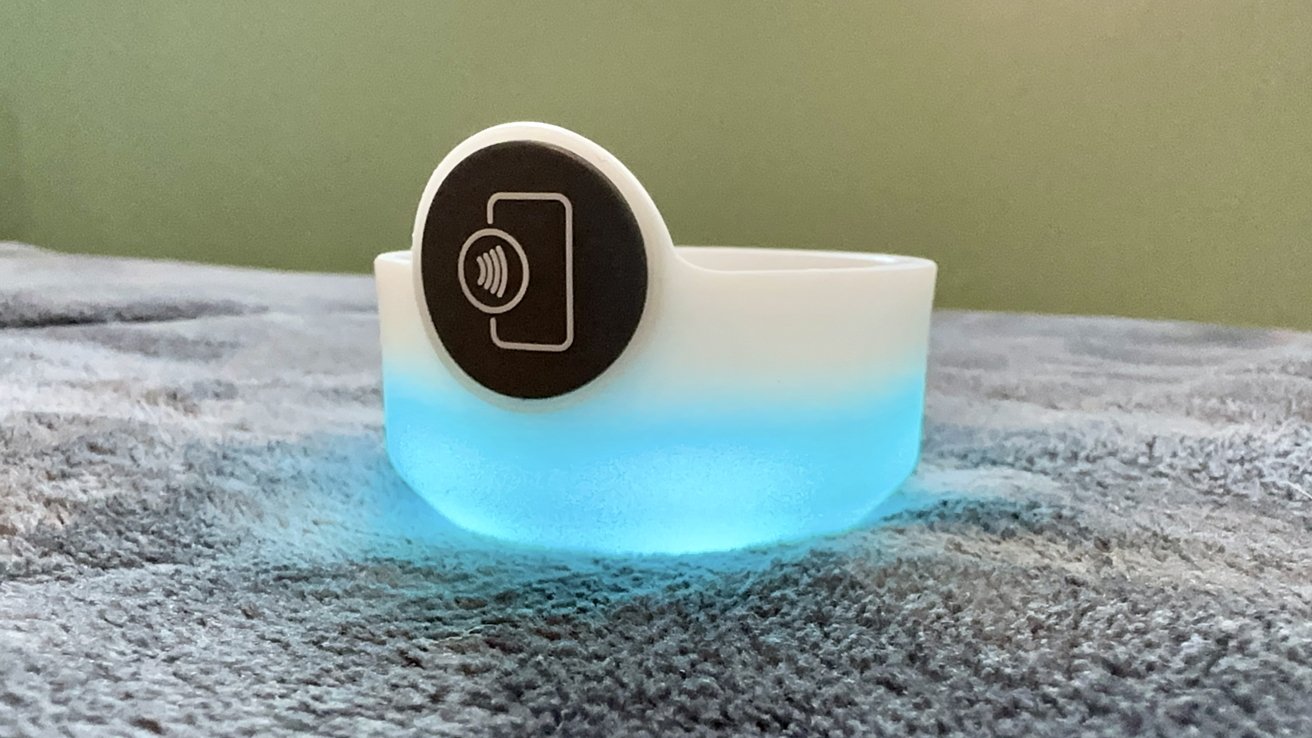
The bottom part of the water bottle is where all the technology is. It houses a light sensor and NFC chip that helps you log how much water you are drinking.
Underneath the bottom are buttons that have different controls of either how often you get reminded to drink water by the LED lights incorporated into the base, picking the color the lights are, and snoozing the lights from going off. The light goes off every hour.

The NFC tag acts like any other NFC chip by that you tap your phone to it and your phone will perform the actions that it is programmed to do.

The first time you tap your phone, it will guide your device to download the Hidrate app to connect your water bottle. After that, every time you tap your phone to the tag, a notification will appear on your device.
Tapping on the notification will launch the Hidrate app and your water intake will be recorded. You must tap on the notification for your water intake to be logged.
The water bottle is dishwasher safe, you just need to take it apart and place it on the top rack. Remove the bottom that houses the NFC chip and lights before putting it in the dishwater because that is the only piece that is not dishwasher safe.
The design of the bottle is simple, lightweight, and doesn’t sail too far away from a traditional water bottle. It brings technological components to a traditional design without disrupting how you would usually use an everyday water bottle.
The Hidrate app
The Hidrate app is the corresponding app to the water bottle that you can download before or after setting up the HidrateSpark Tap. It is free to download, and you can either find it by name on the App Store or by tapping your phone on the NFC tag and being led to it.
You can create an account from scratch or choose to sign in with your Apple ID. This account will allow you to house the water bottle and the amount of water you drink.

When opening the app, you will see how far along you are to your drinking goal for the day. You can set this to a customizable goal set by you or one predetermined by the app. You can either manually enter how much water you have drank or tap your phone on the NFC chip.
When recording how much water you have drank, you will also achieve awards along the way, You can see what achievements you have received by tapping on the trophy icon on the right side of the screen above the cup icon.
By tapping on the History tab at the bottom of the screen, you can see the history of how much water you have logged in the past. You will see your hourly goals, overviews, drink log, and a breakdown.
The Bottles tab lets you add and customize the details of your water bottle by naming it, locating it via Apple Maps, and being able to control the same functions that you would by pressing the buttons underneath the bottle.
By tapping the water icon next to “Find Bottle”, you can change the type of beverage you are filling your bottle with. Here is what you can choose from:
- Water
- Coffee
- Wave Immune Support
- Wave Electrolyte
- Tea
- Wave Energy
While you can fill the bottle with coffee, a warning will appear saying that the water bottle does not like hot liquids — if you do choose that option.
You can add another water bottle to your account from here if you have one.
The app will give hourly notifications on your phone encouraging you to drink more water with quirky and fun little saying of encouragement.

The app also offers a Home Screen widget that will show you how much water you have logged throughout the day — just like it does in the app’s Home tab. It will automatically reset daily.

How to connect the HidrateSpark Tap to Apple Health
One of the best features this water bottle offers is that it connects directly to Apple Health and imports data when logging how much water you have downed.
- Go into the Hidrate app
- Tap on the Settings tab at the bottom right of the screen
- Select Goal from the list
- Select Apple Health under Connect to Apps
Any water you record — either by manually entering it or tapping your phone to the NFC chip on the bottle — will automatically be copied and recorded in the Health app as well. Any other health-based apps (like dieting or exercising) you have that are connected to the Health app will also receive the data too.

You can stop receiving and sharing information from and with the Hidrate app within the Water section of the Health app. You can do this by going to the Data Sources and Access tab at the bottom of the page.
HidrateSpark Tap Pros
- Good price for the water bottle
- Easy to use and understand
- Comes in multiple colors
- Connects to the app seamlessly
- Dishwasher safe
HidrateSpark Tap cons
- Doesn’t add water automatically when tapping it on the NFC tag
- Might take a minute for the phone to recognize the NFC tag sometimes
- The bottom light can get annoying sometimes
- Do you really need a smart water bottle?
The HidrateSpark Tap Smart Water Bottle is a great smart water bottle to have for a very reasonable price. The way it connects with your phone and the customization you have on it is a steal for the price you pay.
Additionally, since you can connect it to the Health app on your iPhone, you can see your water intake statistics right from the app. The water you log onto the Hidrate app will also be imported into other health apps you have on your device too.
The bottom light can get annoying sometimes, and the water you drink doesn’t automatically log onto your phone — you need to tap on the notification that appears, and then it’ll log. But, these are relatively minor annoyances that don’t ruin the use of the product.
The HidrateSpark Tap Smart Water Bottle is a great buy for anyone who wanted to take a better focus on their health and wants or needs to gamify drinking more water daily.
Rating: 4 out of 5
Where to buy
The HidrateSpark Tap Smart Water Bottle is available for $20 on Amazon. You can buy it in aqua, blue, purple, pink, or black.











