
The best scheduling apps for students allow you to stay firmly in control of your academic life right from your Apple device. Whether you want to check your weekly lecture times, plan ahead for your exams, or work out the best time to squeeze in a little more revision, there are plenty of apps that can help you stay on top of your busy schedule.
We’ve combed the market for the best scheduling apps for students, and you’ll find them all rounded up in this article. Let’s see which apps will help you pass your course with flying colors.
Todoist: To-Do List & Planner
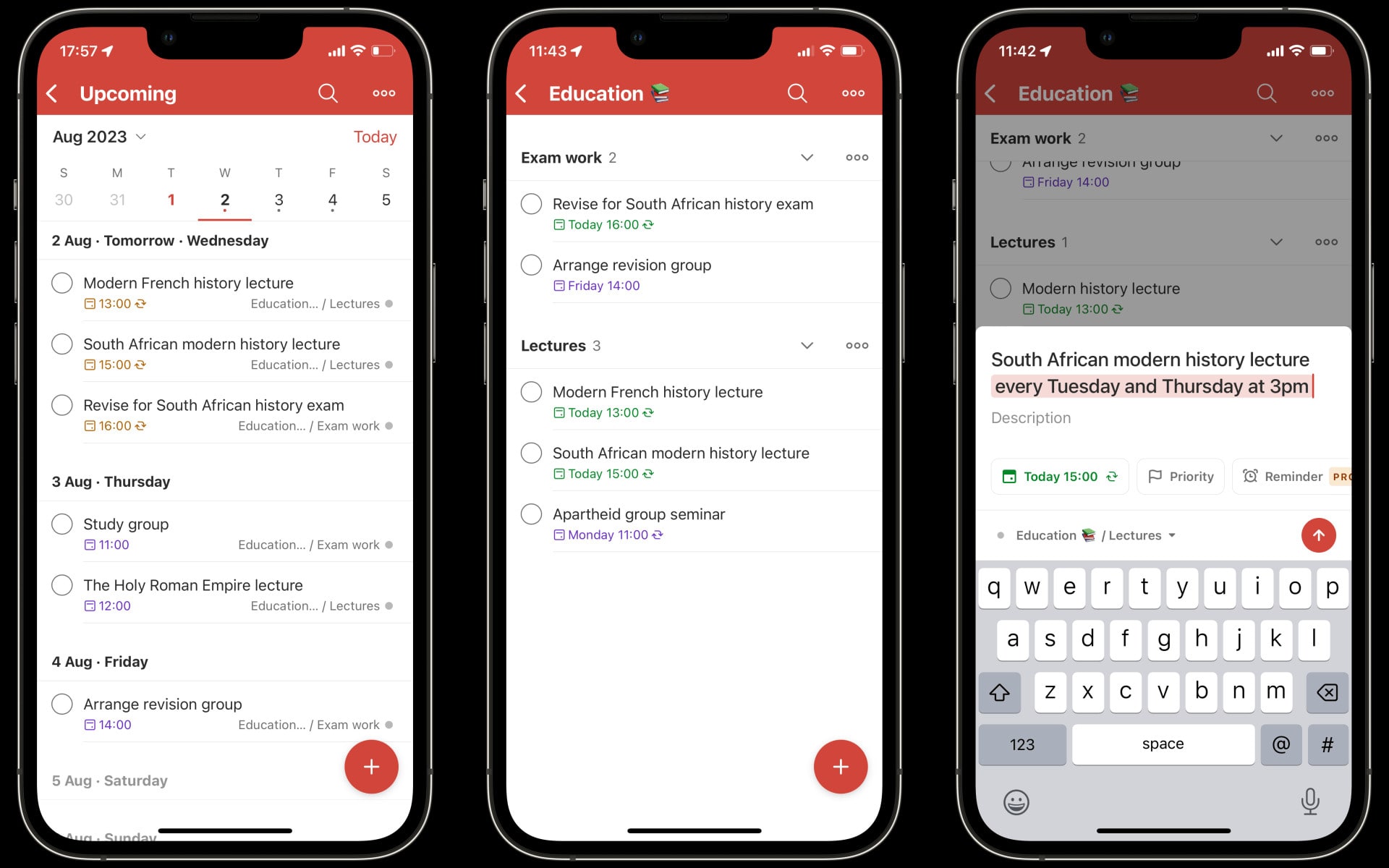
Todoist might be best known as a to-do reminder app, but it also excels when it comes to planning and scheduling tasks for students. It’s extremely easy to add tasks like your lectures, revision sessions, and more, meaning you’re not bogged down in the scheduling process. It understands natural language too, so you can just say “math lecture every Friday at 3pm” and the app creates a recurring task. There’s even a dedicated education template to help you rapidly get started. It’s quick, easy and frictionless to use.
iStudiez Pro Legendary Planner

While apps like Todoist can be easily adapted to student life, iStudiez is specifically designed for it. What does that mean in practice? Well, there are spaces to add your term dates, holidays and teacher info. You can add classes, tag on assignments to them, or convert tasks to exams to keep them separate and clear. It’s apparent that this is an app perfectly considered for the student experience, and scheduling your work is made much easier with it on your device.
Power Planner
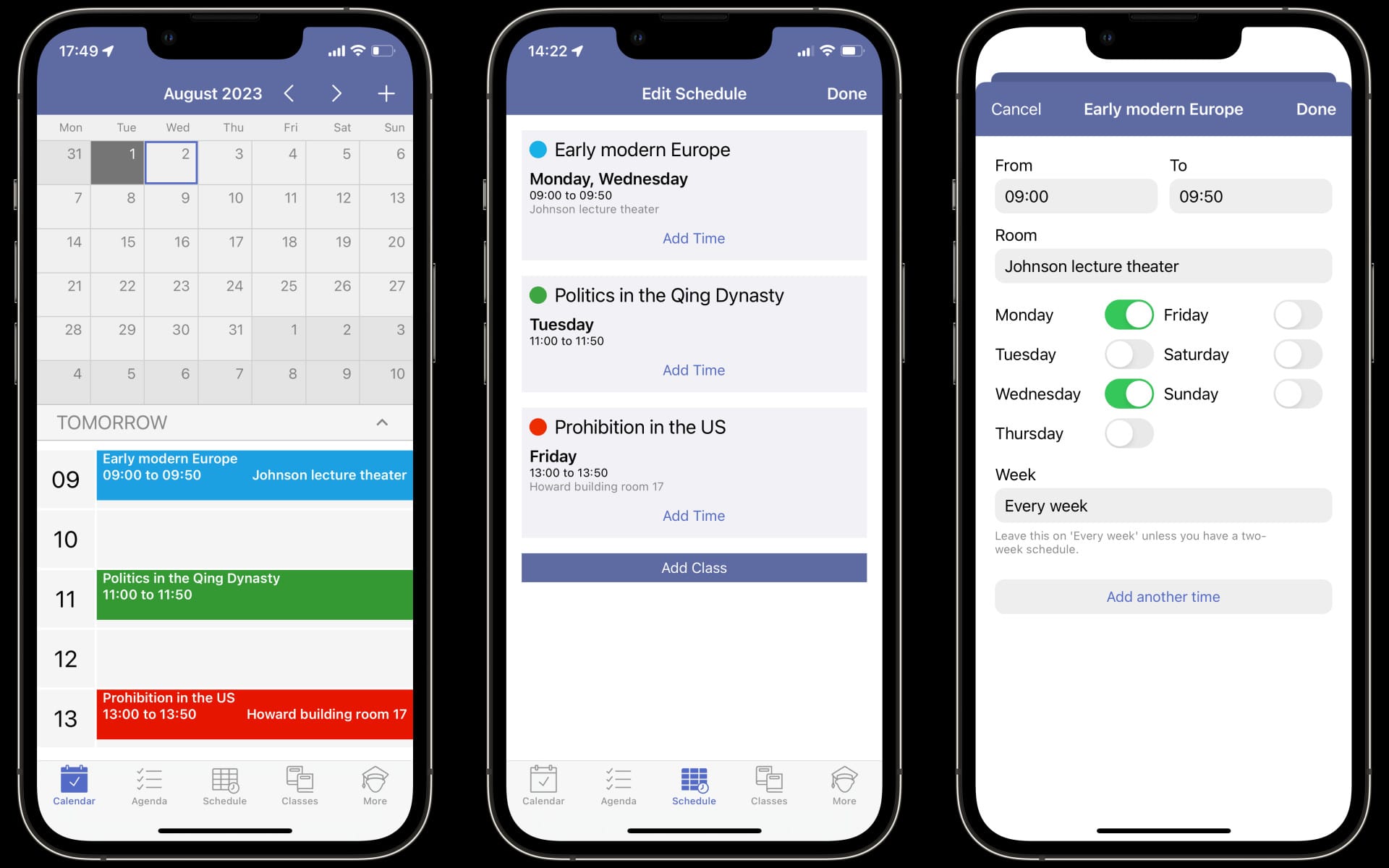
Staying on top of student life is made a lot easier with the help of Power Planner. It aims to be a one-stop hub for everything on your academic plate, from classes and assignments to exams and even what rooms your lectures are held in. Its grade and GPA calculations are especially handy, allowing you to see what mark you’re on target to hit based on your existing scores. Armed with that knowledge, you can pick up the pace if required to hit the scores you want to graduate with.
StudySmarter: Study & Revision

StudySmarter is made to help you improve your grades and pass your exams with the use of flashcards. It has an extensive library of cards on almost any topic, or you can create your own and tailor them to your course. Outside flashcards, the app also lets you add academic events to a calendar, find textbooks for your courses, and more. And to help keep you motivated, every day you practice with your flashcards adds to your ongoing study streak.
Calendars: Planner & Organiser

Rather than being designed around tasks in a to-do list manner, Calendars organizes your day around a calendar view (as its name suggests). And unlike Apple’s Calendar app that comes with your iPhone, Calendars: Planner & Organizer shows you a preview of each task on the calendar, meaning there’s no need to tap each day to find out what’s on. It also contains a task list and supports natural language entry in the paid-for version, but its free edition is still packed with handy tools to keep your studies in check.
My Study Life – School Planner

My Study Life is a powerful companion to any student looking to keep track of their weekly schedule. It lets you enter everything from the academic year start and end dates to the specific seat you’ll be sat in for your final exam. You can add assignments and track your progress, see your schedule on a calendar, view your upcoming tasks for the day, and so much more. It manages to cram a lot into its interface, but everything remains easy to find and at your fingertips.
Microsoft To Do

Like Todoist, Microsoft To Do is designed for to-do lists, but you can take that philosophy and put it to use as a top-notch scheduling app for students. You can divide your tasks into lists, each of which can be color coded, making it easy to separate your tasks by subject or status. If you want to focus on certain tasks, they can be added to your My Day list to put them front and center, while there’s the capability to add notes for a bit more context on each item.
myHomework Student Planner
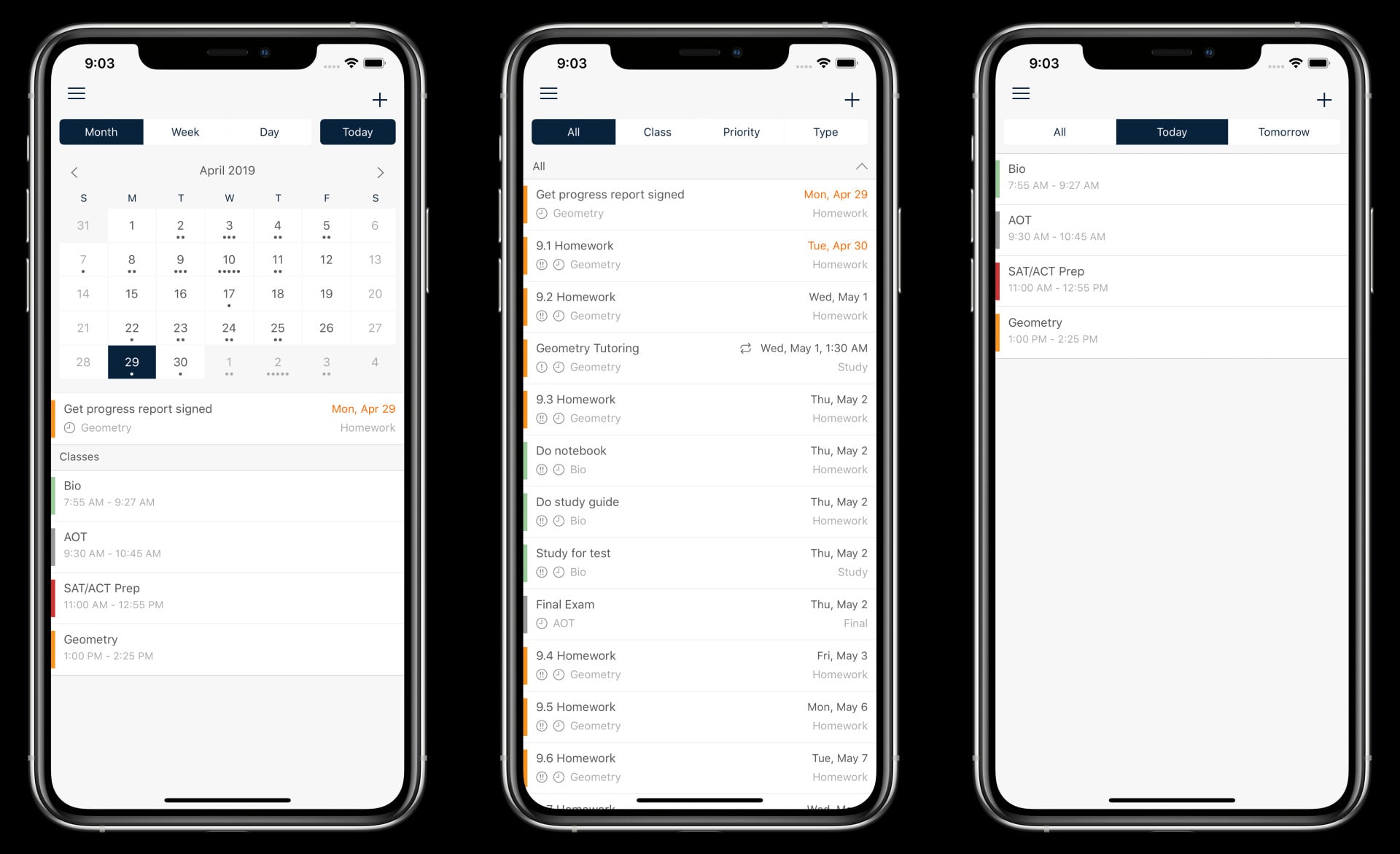
Despite the name, myHomework isn’t just for your home assignments – it also works very well for scheduling lectures, exams, plus any non-curricular activities you want to plan out. We like how detailed it lets you be when adding tasks, with space for class details, due date, priority, and attachments. There’s also room to specify your task types, from lab work to papers, and the calendar feature puts everything into context so you know where you have gaps in your lineup.
Asana: Work in one place
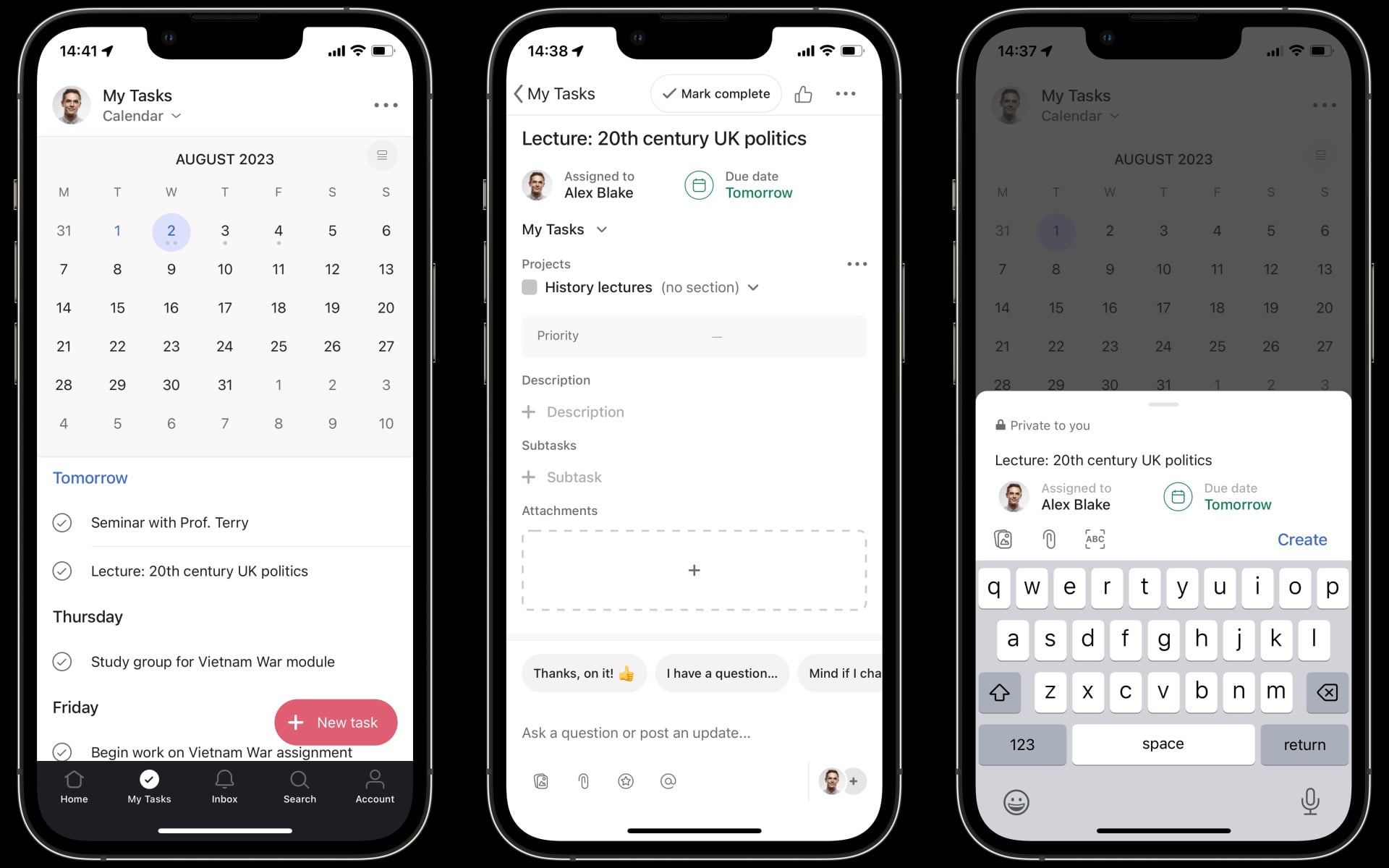
Asana is designed for work, but the same principles that make it such a great planning app for non-students also make it very well suited to academic life. Like some other apps here, it’s quick and easy to add tasks to a calendar and organize them by projects, which could be the module you’re taking or how far they are from completion (or anything else you want). Asana is particularly good for collaboration, so you could use it to plan group coursework assignments and ensure everyone is on track.
Shovel – Study Planner

This app is tailor-made for students, with almost everything you could need to stay on top of your studies. Adding courses, lectures and tasks is very straightforward, as is managing them later. The Tasks tab holds all your upcoming events, and you can filter them to show just want you want to find. The Agenda tab, meanwhile, is where you’ll find your daily schedule, with everything on display across your various courses. Shovel also understands if you have a schedule that rotates every three weeks, for example, instead of more standard rotations, helping you stay in control.
window.reliableConsentGiven.then(function(){
!function(f,b,e,v,n,t,s){if(f.fbq)return;n=f.fbq=function()
{n.callMethod? n.callMethod.apply(n,arguments):n.queue.push(arguments)}
;if(!f._fbq)f._fbq=n;
n.push=n;n.loaded=!0;n.version=’2.0′;n.queue=[];t=b.createElement(e);t.async=!0;
t.src=v;s=b.getElementsByTagName(e)[0];s.parentNode.insertBefore(t,s)}(window,
document,’script’,’https://connect.facebook.net/en_US/fbevents.js’);
fbq(‘init’, ‘1765793593738454’);
fbq(‘track’, ‘PageView’);
})


![The ultimate in pet entertainment: Jolly Dog [Awesome Apps]](https://behalfofapple.com/wp-content/uploads/2023/10/Jolly-Pet-with-Dog-350x250.jpeg?crop=1)