![A road-trip companion, a new kind of shopping, and more [Awesome Apps]](https://behalfofapple.com/wp-content/uploads/2022/11/1741460B-A38D-45FB-AD0B-3C52212C7B25.jpeg)
With Thanksgiving right around the corner, there’s a good chance you’ll have some down time on the way. Whether you’re planning a trip to see family, doing some shopping, or just want to flex your Apple knowledge, this week we have some Awesome Apps to infuse some tech into your holiday week. And just in case you’re new here, if you have something you want us to check out for a future Awesome Apps post, be sure to email your suggestion or tweet them over!
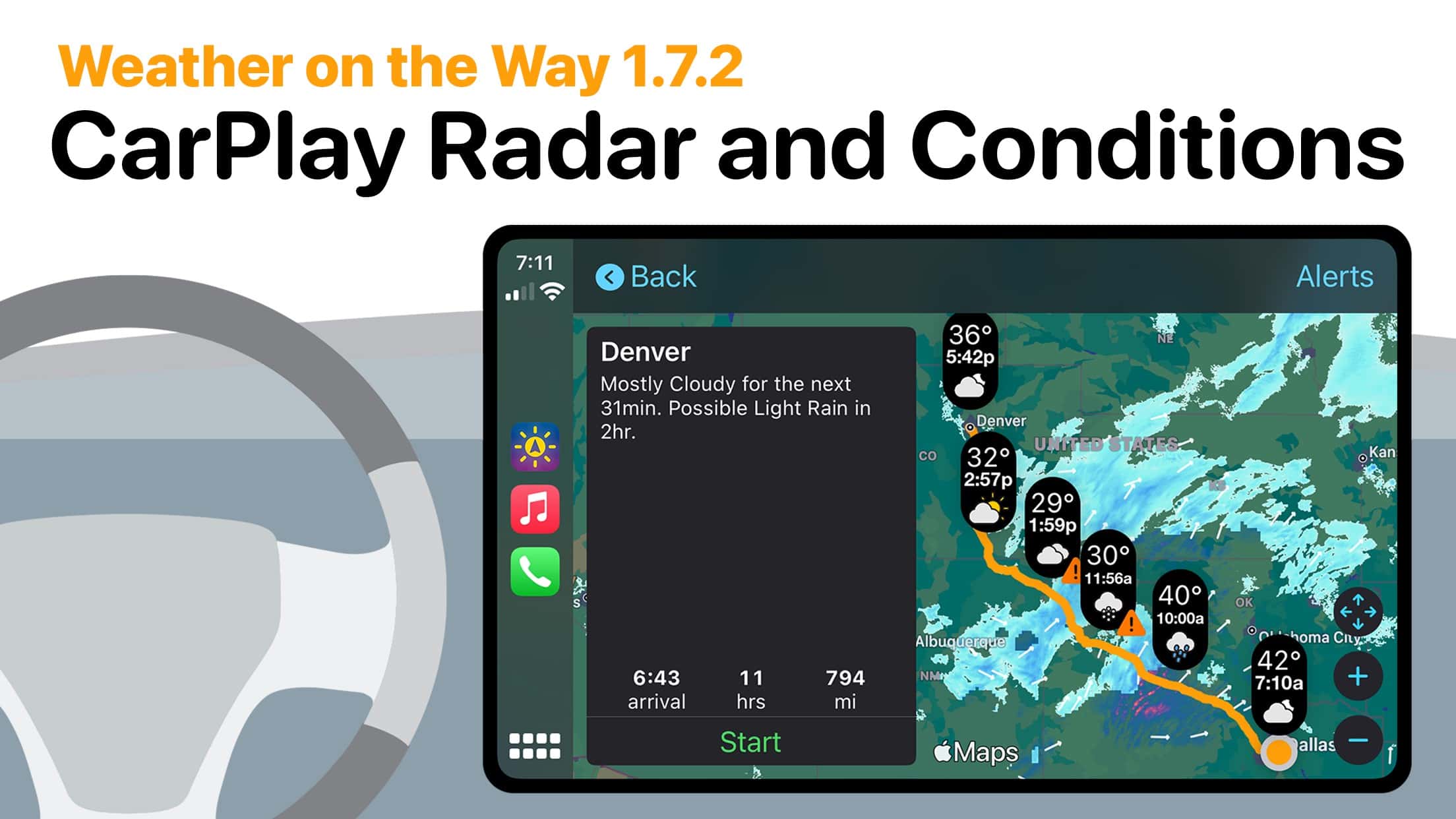
Photo: Weather On The Way
Weather On The Way
My family is all about road trips. Whether we’re going to visit family, going on vacation, or just heading out for day trip, we’re always driving to get there. Once challenge, especially for those longer trips, is knowing how to dress for the ride. With Weather On The Way, you get a forcast for your route, based on on when you’ll be there.
By pairing a GPS app and a weather app, WeatherOn The Way shows checkpoints along the route based on forecast changes. This can help you plan whether you’ll want to have a jacket accessible when you visit a rest stop, or warn you about unexpected snow or rain on your way to grandma’s house. It can also be helpful if you’re trying to see how much longer on your drive you might be stuck in a downpour (we’ve all been there, right?)
What makes Weather On The Way even better is that it supports CarPlay – and is the first weather app to make it to CarPlay – by showing those key temperature or condition changes along the route. If you’re anything like me, and you find yourself taking even the occasional roadtrip, Weather On The Way is well worth having on your phone (and on CarPlay).
Price: $4.99/month or $24.99/year (or get a lifetime license for $84.99)
Download from: App Store
Screenshots: App Store
Tryo
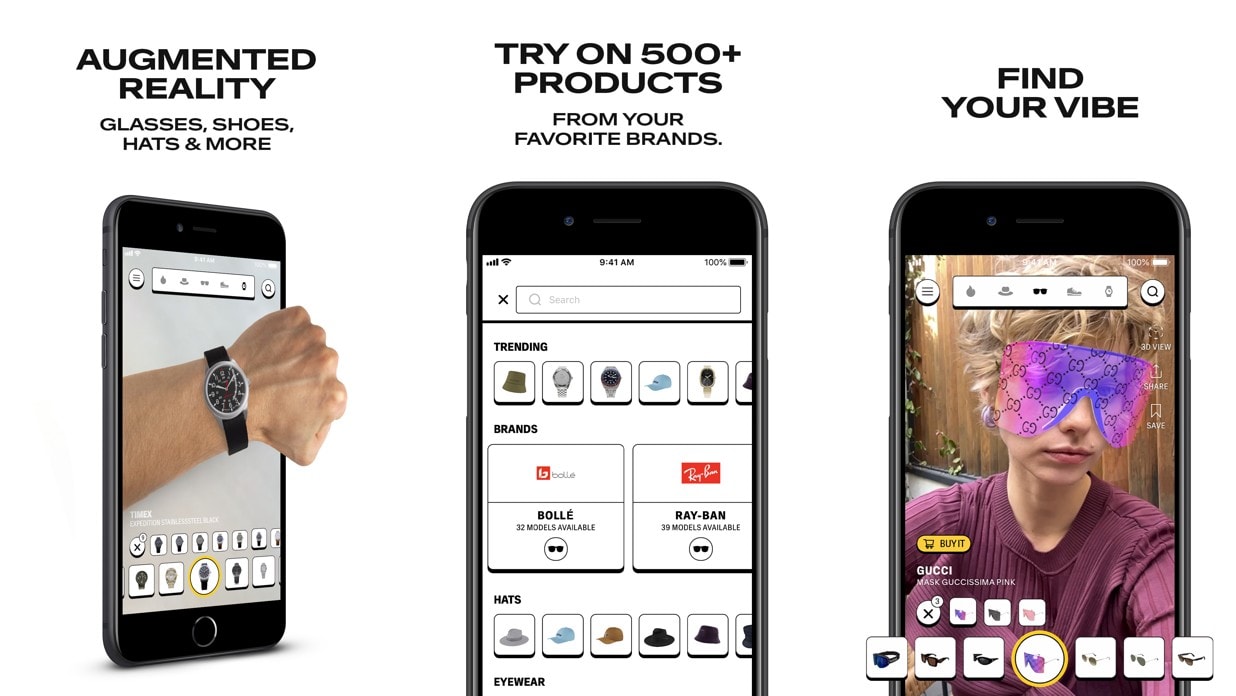
Sponsored: I enjoy shopping. Probably not as much as my wife, but I still enjoy getting a new pair of kicks, a ball cap or some trendy sunglasses. What I don’t love about the experience is the runaround for the things I’m shopping for. With Tryo, you can virtually try on (and buy) a multitude of different shoes, shades, watches, hats and more.
Tryo, in the simplest of terms, is an online shopping aggregator. Pulling products from dozens of retailers, you can shop across brands like Nike, Converse, Balenciaga, Ray-Ban and Rolex. What makes Tryo unique, however, is its AR try-on experience.
By using your iPhone or iPad’s front-facing TrueDepth camera (or the LiDAR Scanner on the back of Pro models), Tryo turns shopping into a Snapchat-inspired experience. Want to see how a hat or sunglasses look on you? No problem, just choose the style you like and see it in real time. Curious if you can pull off Jordan 1s? Point your camera at your feet and see them for real.
Once you’ve found your preferred fits, a few quick taps and you’re on the retailer’s website, ready to load up your cart and check out. No more running around to different malls, only to be disappointed by how something looks in person. The future of shopping is (probably) AR, and Tryo is already here to make it a reality.
Price: Free
Download from: App Store
Screenshots: App Store
Facades
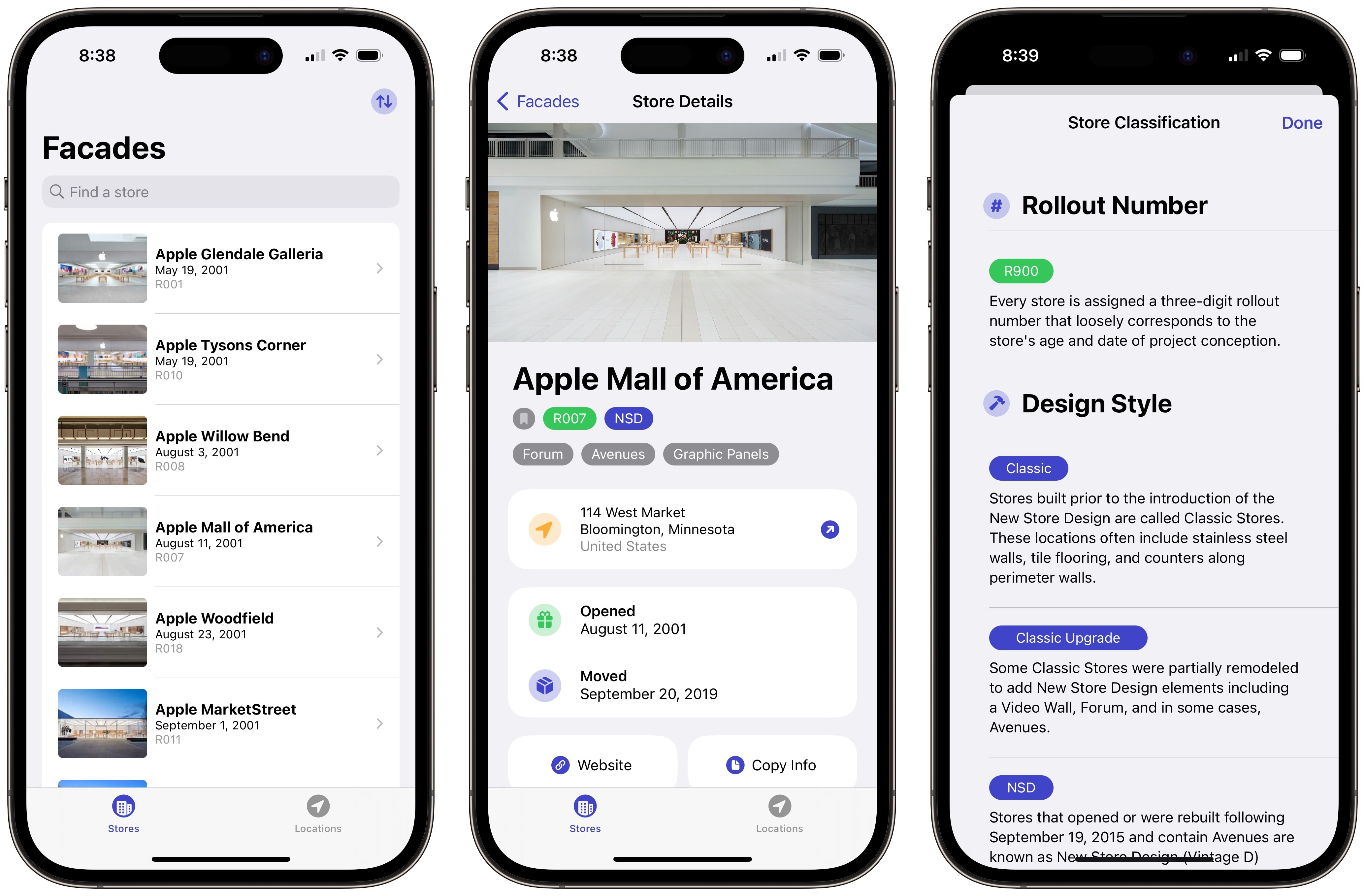
Like many of our readers, I have a useless collection or Apple trivia and history rattling around in my brain. One thing I’ve never been good about remembering, though, is where various Apple Stores are or which stores have been given the Jony Ive/Angela Ahrendts refresh since 2015. Facades is designed to fill that knowledge gap.
With an entry for every Apple Store on Earth, Facades displays Apple’s official photo of the store, along with the store number (indicating when it was built/planned to be completed). Each store profile also shows the store’s current design style, major features, address, and opening date. For stores that relocated (or shuttered completely), it will also show the date the store moved or closed.
While the audience for Facades is truly the most die-hard of Apple fans, the app is an excellent time capsule of Apple history and a fun way to explore the 20+ year history of Apple retail stores. The only thing missing is more photos.
Price: Free
Download from: App Store
//platform.twitter.com/widgets.js
!function(f,b,e,v,n,t,s){if(f.fbq)return;n=f.fbq=function(){n.callMethod?
n.callMethod.apply(n,arguments):n.queue.push(arguments)};if(!f._fbq)f._fbq=n;
n.push=n;n.loaded=!0;n.version=’2.0′;n.queue=[];t=b.createElement(e);t.async=!0;
t.src=v;s=b.getElementsByTagName(e)[0];s.parentNode.insertBefore(t,s)}(window,
document,’script’,’https://connect.facebook.net/en_US/fbevents.js’);
// stack social info
fbq(‘init’, ‘309115492766084’);
fbq(‘track’, ‘EditorialView’);


![The ultimate in pet entertainment: Jolly Dog [Awesome Apps]](https://behalfofapple.com/wp-content/uploads/2023/10/Jolly-Pet-with-Dog-350x250.jpeg?crop=1)