TRENDING
  • About
  • Contact
No Result
View All Result
  • Home
  • News
  • Review
  • Devices
    • Apple Gadget
    • Ipad
    • Iphone
    • Macbook
  • Apps
  • Compares
SUBSCRIBE
  • Home
  • News
  • Review
  • Devices
    • Apple Gadget
    • Ipad
    • Iphone
    • Macbook
  • Apps
  • Compares
No Result
View All Result
No Result
View All Result
Home Devices Apple Gadget

10 Settings to Check Out on iPhone 14 Pro

by
September 17, 2022
in Apple Gadget, Ipad, Iphone
0
iPhone 14 Features a Mac-Like Startup Sound While Turning On
465
SHARES
1.5k
VIEWS
Share on FacebookShare on Twitter

iPhone 14 Pro and iPhone 14 Pro Max have started to arrive to customers around the world. For those who have upgraded to one of the devices, we have put together a list of 10 useful settings that are worth checking out below.

iphone 14 pro max deep purple
Some of the settings are exclusive to the iPhone 14 Pro models, while others were introduced in iOS 16 for a wider range of iPhones.

New Settings for iPhone 14 Pro Models

Enable 48MP ProRAW Photos

iPhone 14 Pro Settings ProRAWiPhone 14 Pro Settings ProRAW
iPhone 14 Pro models feature an upgraded rear camera system that can shoot 48-megapixel photos, but only in ProRAW mode, which can be enabled in the Settings app under Camera → Formats → Apple ProRAW with the resolution set to 48MP. In the Camera app, a button labeled RAW will appear in the top-right corner to easily turn ProRAW on or off.

ProRAW photos retain more detail in the image file for more editing flexibility. 48-megapixel ProRAW photos are very large files that clock in at around 75MB each or higher, so be mindful of your iPhone’s storage space if shooting photos in this mode.

Enable 4K Cinematic Mode

iPhone 14 Pro Settings 4K Cinematic ModeiPhone 14 Pro Settings 4K Cinematic Mode
On all four iPhone 14 models, Cinematic mode videos can now be recorded in 4K. To enable the higher resolution in the Settings app, tap Camera → Record Cinematic and choose 4K at 24 frames per second or 4K at 30 frames per second.

Introduced with the iPhone 13 lineup, Cinematic mode features a depth effect with automatic focus changes for “cinema-style” videos.

Optimize Action Mode for Lower Light

iPhone 14 Pro Settings Action Mode Lower LightiPhone 14 Pro Settings Action Mode Lower Light
All four iPhone 14 models feature a new Action mode that adjusts to significant shakes, motion, and vibrations for smoother-looking video. Apple says the feature can be used to record video while off-roading in a vehicle, filming a runner, and more.

A button for Action mode can be found in the top-left corner of the Camera app for video. In the Settings app, Action mode can be optimized for lower-light conditions by navigating to Camera → Record Video → Action Mode Lower Light.

Turn On a Startup Sound

An optional new accessibility feature allows all iPhone 14 models to play a sound when powered on and powered off. The feature can be enabled in the Settings app under Accessibility → Audio/Visual → Power On & Off Sounds.

Turn Off the Always-On Display

iphone 14 pro always on displayiphone 14 pro always on display
iPhone 14 Pro’s new always-on display mode is enabled by default. It can be turned off in the Settings app under Display & Brightness → Always On.

Always-on display mode dims the entire Lock Screen, but still shows the time, date, widgets, wallpaper, and unread notifications. Once you raise the iPhone, tap or swipe up on the bottom of the screen, or press the side button, the display returns to normal brightness.

New Settings in iOS 16

Turn On Haptic Feedback for Keyboard

iPhone 14 Pro Settings Haptic KeyboardiPhone 14 Pro Settings Haptic Keyboard
iOS 16 added a new haptic feedback option for the iPhone’s stock keyboard. Similar to many Android smartphones, the iPhone can make a slight vibration after each key that you press while typing, providing physical confirmation that the key was tapped.

In the Settings app, the feature is under Sounds & Haptics → Keyboard Feedback → Haptic.

Add a Battery Percentage Icon to Status Bar

iPhone 14 Pro Settings Battery IconiPhone 14 Pro Settings Battery Icon
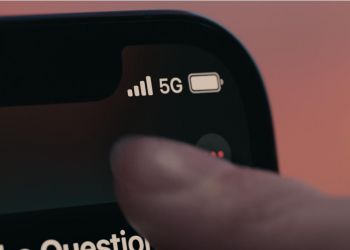
iOS 16 finally reintroduced the option to view a battery percentage icon in the status bar on the iPhone X and newer, eliminating the need to swipe down to open Control Center to see the percentage. To enable the new icon on iPhone 14 Pro models, open the Settings app and navigate to Battery → Battery Percentage.

Automatically Send Messages With Siri

iPhone 14 Pro Settings Automatic Siri MessagesiPhone 14 Pro Settings Automatic Siri Messages
Siri normally asks for confirmation before sending a message to someone, but in iOS 16, there is a new option to skip the confirmation step. To enable this in the Settings app, tap Siri & Search → Automatically Send Messages.

The feature can also be enabled when an iPhone is connected to headphones or CarPlay.

Ask Siri to Hang Up a Phone Call

iPhone 14 Pro Siri Call Hang UpiPhone 14 Pro Siri Call Hang Up
With iOS 16, you can say “Hey Siri, hang up” during a phone call to end the call in a hands-free manner, but note that the command can be heard by others on the call. In the Settings app, this feature can be enabled under Siri & Search → Call Hang Up.

View Wi-Fi Passwords

iPhone 14 Pro Settings Wi Fi PasswordiPhone 14 Pro Settings Wi Fi Password
You can finally view the password of a Wi-Fi network that you have previously connected to on iOS 16. In the Settings app, tap Wi-Fi → tap a network → tap the password field and authenticate with Face ID to view the password.

Source link

Share this:

  • Share on X (Opens in new window) X
  • Share on Facebook (Opens in new window) Facebook

Like this:

Like Loading...
Share186Tweet116Share47

Related Posts

iPhone not hit by Southeast Asia’s collapsing smartphone market
Apple Gadget

iPhone not hit by Southeast Asia’s collapsing smartphone market

November 17, 2022
Indian iPhone owners could finally get 5G support in December
Apple Gadget

iPhone 14 is no longer banned in Colombia, here’s why

November 17, 2022
Foxconn delays reducing iPhone plant production plan over Covid-19 outbreak
Apple Gadget

Foxconn needs 100,000 more workers at its Zhengzhou iPhone plant

November 17, 2022
The world’s biggest iPhone factory has lost 100,000 workers fleeing COVID lockdowns, a third of its workforce
Apple Gadget

The world’s biggest iPhone factory has lost 100,000 workers fleeing COVID lockdowns, a third of its workforce

November 17, 2022
A16 Chip in iPhone 14 Pro Reportedly Costs Apple Over Twice as Much as A15 Chip
Apple Gadget

iPhone 14 Pro’s A16 Bionic Outperforms Latest Snapdragon 8 Chip Coming to Android Phones Later This Year

November 17, 2022
iPhone 15 Pro could feature significantly faster wired data transfer speeds
Apple Gadget

iPhone 15 Pro could feature significantly faster wired data transfer speeds

November 17, 2022
Next Post
Future iPhone could stop music & video when you’re not paying attention

Future iPhone could stop music & video when you're not paying attention

Leave a ReplyCancel reply

Recommended

The overlap between Apple Music and Classical app is clunky

The overlap between Apple Music and Classical app is clunky

March 28, 2023
iPhone SE 4 Rumored to Feature 6.1-Inch LCD Display With Notch

iPhone SE 4 Rumored to Feature 6.1-Inch LCD Display With Notch

October 9, 2022
White House calls Apple and Google ‘harmful’ in bid to cut app store fees

White House calls Apple and Google ‘harmful’ in bid to cut app store fees

February 1, 2023
Apple to show ads on App Store homepage in new, more prominent format

Apple to show ads on App Store homepage in new, more prominent format

June 20, 2023
Apple launches its new classical music streaming app for pre-order

Apple launches its new classical music streaming app for pre-order

March 9, 2023
iPhone, Mac driving June quarter results in-line with Wall Street forecasts

iPhone, Mac driving June quarter results in-line with Wall Street forecasts

July 11, 2022
Facebook Twitter Youtube Pinterest
Behalf of Apple

behalfofapple.com is a Tech News Website. We provide you with the latest breaking news and videos straight from the Apple Tech News industry.

Categories

  • Apple Gadget
  • Apps
  • Ipad
  • Iphone
  • News
  • Review

Quick Menu

  • Home
  • About
  • Contact
  • Disclaimer
  • Privacy Policy
  • Terms and Conditions

Copyright © 2022 behalfofapple.com

No Result
View All Result
  • About
  • Contact
  • Disclaimer
  • Home
  • Privacy Policy
  • Terms and Conditions

Copyright © 2022 behalfofapple.com

Discover more from Behalf of Apple

Subscribe now to keep reading and get access to the full archive.

Continue reading

Go to mobile version
 

Loading Comments...
 

    %d
      • Disclaimer: We are not affiliated, associated, authorized, endorsed by, or in any way officially connected with Apple. We are merely a tech news organization.