AppleInsider is supported by its audience and may earn commission as an Amazon Associate and affiliate partner on qualifying purchases. These affiliate partnerships do not influence our editorial content.
You may have reasons to keep your iPad or iPhone on for an extended period of time. But, the open questions are why would you want to do this and if it will harm your device.
Recently, I set up my at-home workspace with a MacBook Pro and an external display. I then plugged an iPad into the MacBook to extend my desktop.
The iPad always displays Slack so I can easily read and write messages as I work. When I end my day, I leave my MacBook and iPad on and let the screensaver takeover.
There are many reasons why you might want an always-on iPad. They are great for ongoing use for playing music, showing dashboards, weather, or simply the time.
Also, iPads are increasingly being used as kiosk displays showing static information or collecting information from users.
iPhones also have use for being always-on displays. The app, NowPlaying works with Shazam’s service to constantly monitor for music playing around you and pull up details about the song, artists and more.
Various iPhone apps exist to turn your phone into a nightstand clock, displaying the time and other information all night long. The list goes on for all the reasons why you would want your iPad or iPhone display on for an extended time.
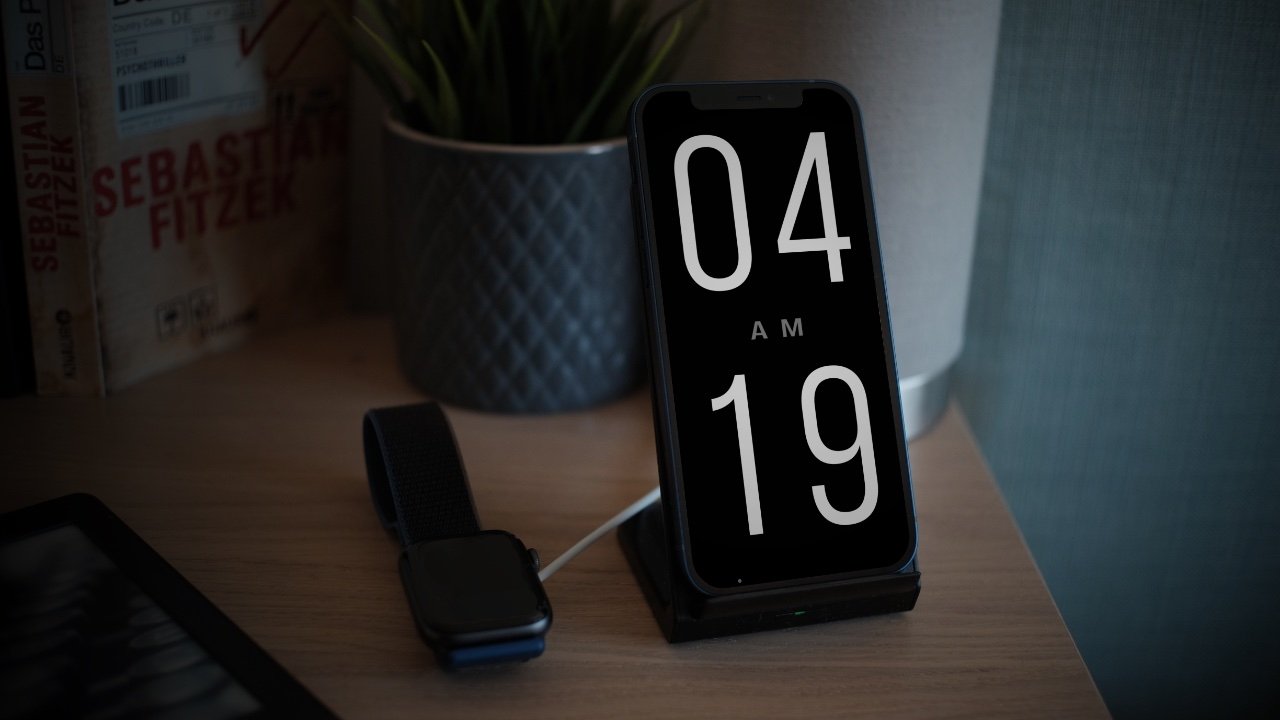
iPhone apps like ClockPhone turns your phone into a nightstand, always-on clock.
Are iPads and iPhones prone to burn-in?
The question that I asked when I set up my iPad as an always-on display and that many ask when they have a similar need is, is it ok to leave your iPhone or iPad on that long?
We all are familiar with the notion that images if left displayed on an old CRT monitor, will be burned forever into the screen. Display technology has come a long way, but you might be surprised to know that “screen burn-in” can still be an issue.
Screen burn-in is where an image on display is left for too long so that when the image is replaced its ghost remains visible. Screen burn-in can be permanent or temporary depending on the kind of display.
Permanent burn-in is hardly an issue with LCD (Liquid Crystal Display). All Apple laptops, all iPads and older iPhones have LCDs. However, these displays use IPS (in-plane switching) technology that can cause temporary burn-in (also known as image retention or ghosting).
Starting with iPhone X, iPhones (with some exceptions) began shipping with OLED (Organic Light Emitting Diode) displays. OLED is more susceptible to permanent burn-in because the organic material in the display begins to degrade. However, not only did Apple implement countermeasures to prevent it, OLED technology continues to improve making burn-in less and less of a problem.
Most iPad and iPhone users do not have any issues with even temporary burn-in. This is largely because LCD screens are less prone to it, but also because Apple has built-in software precautions. For example, the Super Retina OLED display continuously monitors and calibrates each pixel.
If you are using an iPad or iPhone with an LCD display, then leaving the same app displayed for an extended time shouldn’t be an issue for you. If you experience burn-in or image retention, then it’s likely only temporary and will fade within a few minutes.
And Apple’s countermeasures? It will, imperceptibly, shift a long-static image on an OLED screen by a pixel or two in a direction, changing the state of most of the pixels on the screen.
What about battery longevity and damage?
If you need to keep an iPad or iPhone on constantly, you’ll likely want to keep it plugged in all day. For most devices, this shouldn’t be an issue.
Since iOS 13, iPhones have benefitted from Optimized Battery Charging. This feature helps to prolong the life of your battery so keeping it plugged in shouldn’t be an issue.
And, that same system will observe your use habits, and only charge the battery to 80% if it determines that you’re using it on the desk most of the time.
Optimized Battery Charging is not a feature on iPads. However, Apple has reported that it’s impossible to overcharge an iPad. Still, it’s important to make sure you are charging with a properly certified charger with the correct amount of output for your device.
If you leave your iPad or iPhone running for an extended time and it begins to feel hot, constant charging may not be the issue. It could be the app you are running is overworking the processor.
In any case, let your device cool down by turning it off.
How do I keep my display from turning off?
If you do decide to use your iPad or iPhone for an ‘always-on’ experience, then there’s one setting you’ll need to adjust so your device doesn’t automatically turn off.
Go to Settings > Display & Brightness. Tap on Auto-Lock. Tap on Never. Now, when you turn on your display, it will stay on until you turn it off with the side or top button.
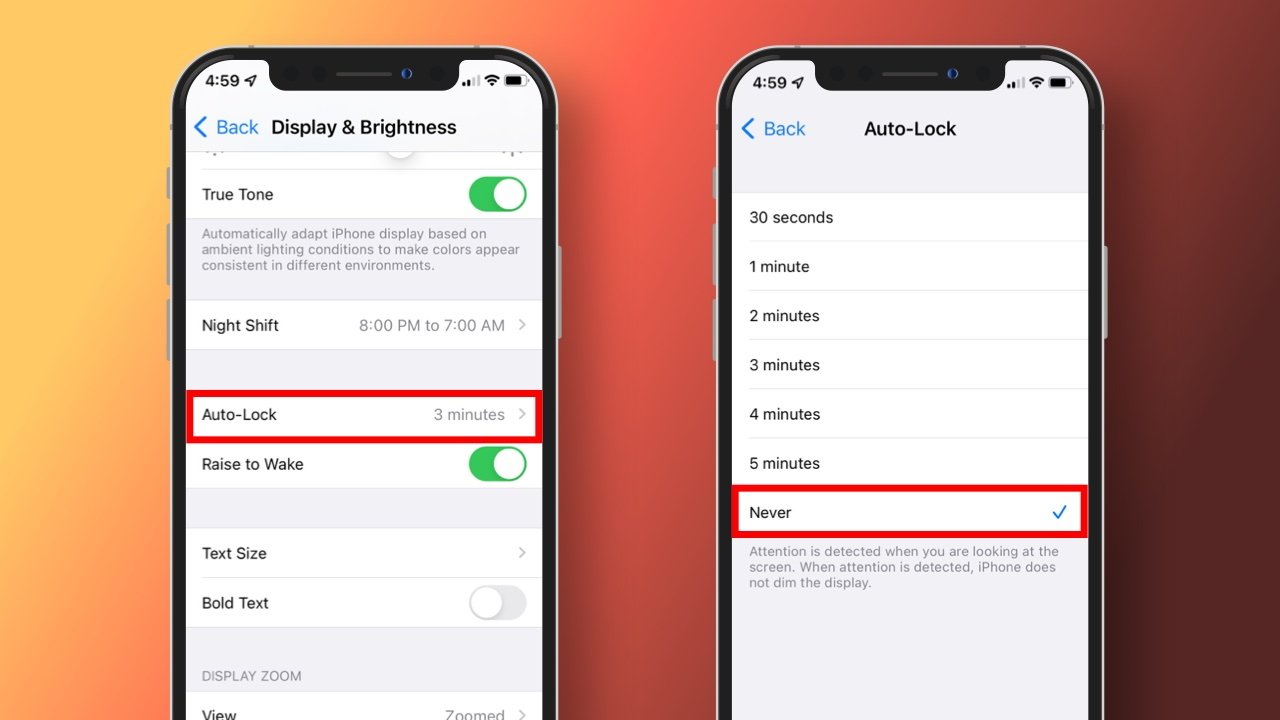
For an always-on experience, disable Auto-Lock from Settings.